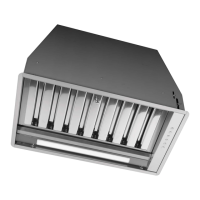
Instruction manual COR540SL 11
Please keep this instruction manual for future reference
INSTALLATION
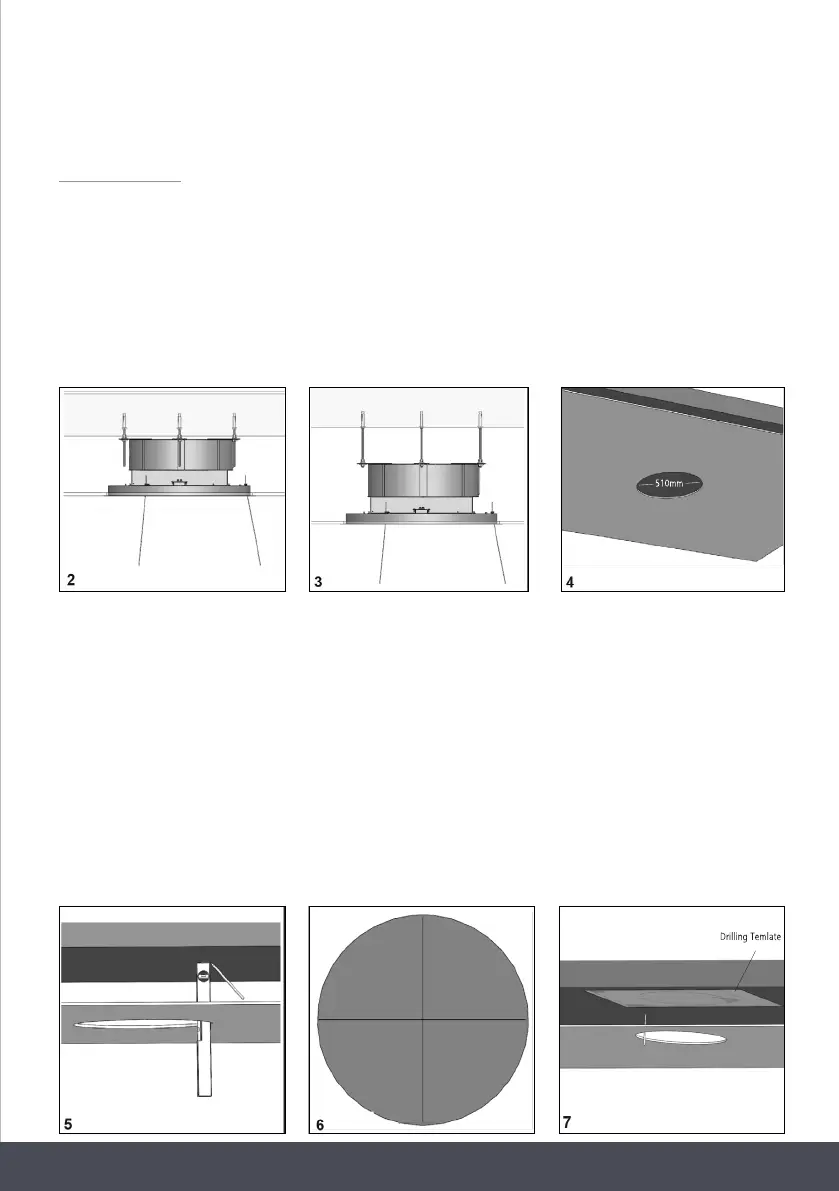
For the installation of this product it is necessary to create a plasterboard false ceiling, keeping at
least 220mm distance between it and the solid ceiling.
The fixings supplied with the product allow it to be installed into false ceilings ranging from
220mm (fig. 2) to 300mm (fig. 3) of distance between the plasterboard and the solid ceiling.
It is necessary to make a circular opening in the plasterboard, with a diameter equal to: 510mm
(fig. 4).
Drilling Temlate Metric Insert
Threaded Bar
Additional Nut
Plastic Locking Washer
Metal Washer
Using a level and pencil, mark the four edges of the hole created in the plasterboard directly onto
the solid ceiling, see fig. 5, then draw perpendicular lines as shown in fig. 6, to find the centre of
the hole.
Position the drilling template supplied, aligning the centre of the template with the centre of the
axes previously drawn (fig. 7). Using a pencil, trace the three holes to be made in the solid ceiling.
Before tracing the holes you can rotate the drilling template in order to orientate
the air outlet of the fan to the desired direction. The position of the air outlet of the fan is
indicated in the drilling template.
Drill three holes into the solid ceiling using a drill tip with a diameter of 8mm.



 To Next Page