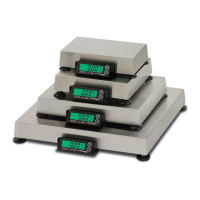
The device described in the manual is the Cardinal DETECTO Price Computing Scale, DS Series. This is an operation manual for a price computing scale designed for commercial use, providing instructions for setup, operation, calibration, and maintenance.
Function Description
The Cardinal DETECTO DS Series Price Computing Scale is designed to accurately weigh items and calculate their price based on a user-entered unit price. It supports both AC power operation and includes a rechargeable battery pack for portable use. The scale features an operator display and a customer display, both with backlights, to show weight, unit price, and total price. It can operate in various weighing units, including kilograms, 100g, and pounds, making it versatile for different types of products and pricing strategies. The scale also includes a tare function to subtract the weight of containers and a pre-pack mode for repetitive price computing of commodities with the same unit price. Diagnostic software is integrated to test circuitry and verify proper operation, displaying error or status messages when issues are detected.
Important Technical Specifications
- Displays: 0.75" High LCD with backlight.
- Weight: 5 Digits
- Unit Weight: 5 Digits
- Total Price: 6 Digits
- Dimensions: 11.75" W x 12.63" D x 4.25" H (298mm x 321mm x 108mm).
- Platform Size: 11.38" W x 8.25" D (289mm x 210mm).
- Power: Built-in rechargeable battery pack or 115 VAC 50/60Hz (optional 230 VAC 50/60Hz).
- Battery operation provides 100 hours continuous operation with backlight on, or 200 hours with backlight off.
- Tare: 100% of full scale capacity.
- Operating Temperature: 32 ~ 104°F (0° ~ 40°C).
- Humidity: 25% ~ 95% RH.
- Zero: Established on power up routine and maintained by auto-zero circuitry.
- Models and Capacity/Division Value:
- DS-6: 6 lb x .002 lb (3 kg x .001 kg)
- DS-12: 12 lb x .005 lb (6 kg .002 kg)
- DS-30: 30 lb x .01 lb (15 kg .005 kg)
- DS-60: 60 lb x .02 lb (30 kg .01 kg)
Usage Features
- Keyboard: Membrane keyboard with numeric keys (0-9, 00), ZERO, TARE, UNITS, PREPACK, and CLEAR ENTRY keys. Users are cautioned against using pointed objects on the keyboard to prevent damage.
- Level Adjustment: Features a level indicator and adjustable mounting feet to ensure accurate readings.
- Power Switch: Located on the bottom left side panel, initiates a brief lamp test upon turning on to verify display functionality.
- Display Backlight: Can be set to "Auto Backlight" (turns on when weight is over 10 divisions or any key is pressed, turns off after 5 seconds when weight returns to zero or is less than 10 divisions) or "Backlight Off." The selected mode is stored in memory.
- Weight Display: Shows the weight of the item on the platform. The "lb" or "kg" annunciators indicate the selected unit.
- Zeroing: The ZERO key sets the weight display to zero if the displayed weight is within ± 2% of scale capacity, activating the ZERO annunciator.
- Tare Operation: The TARE key stores the current gross weight as tare, switching to net weight mode. Tare can be cleared by removing all material and pressing TARE again.
- Normal Unit Price Calculation: Place commodity, key in unit price (per pound or kilogram), read total weight and total price.
- PrePack Operation: For repetitive pricing, enter tare (if desired), then unit price, and press PREPACK. The PREPACK annunciator illuminates, retaining the unit price and tare. Press PREPACK again to clear the mode.
- Metric Conversion: The UNITS key allows switching between kilogram mode (kg), 100g mode (weight in kilograms, unit price per 100 grams), and pounds mode (lb). Annunciators (kg, 100g, lb) indicate the active unit. The 100g mode is useful for lighter or expensive products.
- Annunciators: Visual indicators on both operator and customer displays for ZERO (center-of-zero), NET (net weight displayed), kg, 100g, lb (weighing units), PREPACK (pre-pack mode active), and Low Battery (internal battery requires charging). The CHARGING LED turns red when charging and green when fully charged.
- Error and Status Displays: The scale provides diagnostic messages such as "Left Arrow" (indicates active annunciator), "--OL--" (overload), "Centr" (resetting weight to zero), and "Low Battery" (internal battery requires charging).
Maintenance Features
- Calibration: The scale is factory-calibrated but can be recalibrated by a qualified technician if needed. This involves accessing an internal calibration switch, which requires disassembling the scale housing. Specific test weights are required for calibration (e.g., 6 lb for DS-6, 12 lb for DS-12, 30 lb for DS-30, 60 lb for DS-60).
- Calibration Seal Installation: For commercial applications, the scale is designed to accept a lead and wire security seal to prevent unauthorized access to calibration adjustments. This seal is threaded through a post in the center of the scale, and the housings cannot be separated without damaging it.
- Troubleshooting Guide: The manual includes a "BEFORE YOU CALL FOR SERVICE" section with common problems (e.g., display not turning on, incorrect weight displayed) and possible solutions (checking power connections, battery status, platform obstruction).
- Care and Cleaning:
- DO NOT submerge in water, pour, or spray water directly on the scale.
- DO NOT use acetone, thinner, or other volatile solvents.
- Clean the indicator with a damp soft cloth and mild non-abrasive detergent.
- Remove power before cleaning.
- For long-term storage, clean and store in a plastic bag in a dry environment, potentially with a desiccant packet.
- Recharge the internal battery every three months during storage.
- Warm-up Time: Before use, the scale should be "warmed up" (turned on and unloaded) for approximately 15 to 20 minutes to ensure stable readings.

 Need help?








 To Next Page
 General