EasyManua.ls Logo

Carestream DENTAL CS 3800 - User Manual

Carestream DENTAL CS 3800
43 pages
Print Icon
To Next Page IconTo Next Page
Loading...
CS 3800
User and Installation Guide

Other manuals for Carestream DENTAL CS 3800

Questions and Answers

Summary

Conventions in This Guide

CS 3800 Family Overview

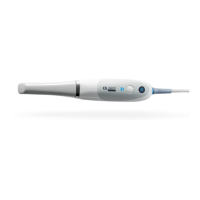
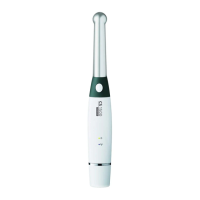
CS 3800 Wireless Overview

Details the components and features of the CS 3800 Wireless scanner.

CS 3800 Wireless Scanner General Care

Provides guidance on the proper care and maintenance of the CS 3800 Wireless scanner.

CS 3800 Wireless Scanner Storage

Instructions for safely storing the CS 3800 Wireless scanner when not in use.

CS 3800 Wireless Handpiece Charging Station Overview

Explains the functionality and use of the handpiece charging station for the wireless model.

CS 3800 Wireless Battery Charging Station (Optional) Overview

Describes the optional accessory for charging multiple batteries for the wireless scanner.

CS 3800 Wired Overview

Outlines the components and general information for the CS 3800 Wired scanner.

CS 3800 Wired Scanner General Care

Details on maintaining the CS 3800 Wired scanner, including protective cover usage.

CS 3800 Wired Holder Overview

Information on the desktop and wall mount holders for the CS 3800 Wired scanner.

CS 3800 Wired Detachable Cable Storage

Guidance on storing the detachable cable to prevent damage and ensure longevity.

CS 3800 Family Shade Calibration Unit Overview

Instructions for using the shade calibration unit to recalibrate the scanner after specific usage.

Setting Up the Scanner

Setting Up the CS 3800 Wireless Scanner

Step-by-step guide for installing the CS 3800 Wireless scanner and associated software.

Setting Up the WiFi Adapter

Instructions for configuring the WiFi adapter to connect the scanner to a wireless network.

Charging the Batteries in the Battery Charging Station (Optional)

Procedure for charging spare batteries using the optional charging station.

Preparing the CS 3800 Wireless Scanner

Essential steps to prepare the CS 3800 Wireless scanner for use, including tip installation.

Setting Up the CS 3800 Wired Scanner

Step-by-step guide for installing the CS 3800 Wired scanner and connecting it to a computer.

Using the Holder

Guidance on utilizing the scanner holder for desktop placement or wall mounting.

Preparing the CS 3800 Wired Scanner

Essential steps to prepare the CS 3800 Wired scanner for use, including tip installation.

Maintenance

Cleaning, Disinfecting, and Sterilizing

Procedures for cleaning, disinfecting, and sterilizing the scanner and accessories to ensure hygiene.

Troubleshooting

CS 3800 Family Troubleshooting Instructions

Addresses common problems encountered with the CS 3800 Family scanners and provides solutions.

Contact Information

Manufacturers Address

The physical address of the manufacturer, Carestream Dental LLC.

Authorized Representatives

Contact information for official representatives in various regions for support.

List of Importers for European Union According to the MDR 2017;745

List of EU importers relevant for regulatory compliance under MDR 2017/745.

Carestream DENTAL CS 3800 Specifications

General IconGeneral
BrandCarestream DENTAL
ModelCS 3800
CategoryDental equipment
LanguageEnglish

Related product manuals