EasyManua.ls Logo

Carestream DENTAL CS 9000C - User Manual

Carestream DENTAL CS 9000C
50 pages
Print Icon
To Next Page IconTo Next Page
Loading...
CS 9000C AND CS 9000C 3D
User Guide

Table of Contents

Questions and Answers

Summary

About This Guide

Conventions in this Guide

Explains special messages like WARNING, CAUTION, IMPORTANT, NOTE, TIP.

CS 9000 C AND CS 9000 C 3 D UNIT OVERVIEW

General Overview

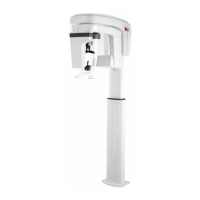
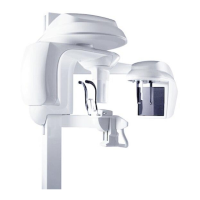
Describes the functional components of the CS 9000C and CS 9000C 3D units.

Mobile Components

Illustrates the up and down movement and rotation of the unit's mobile components.

General Functional Components

Identifies and illustrates the main functional parts of the CS 9000C and CS 9000C 3D units.

Digital Sensor Locations

Shows the positions of panoramic, 3D, and cephalometric digital sensors.

Laser Locations

Illustrates the locations of the lasers used for patient positioning.

Control Panel Overview

Details the alphanumeric digital soft touch console for unit control and monitoring.

X-ray Remote Control Overview

Explains how to launch image acquisition using the external exposure button.

Panoramic Positioning Accessories

Details accessories specific to panoramic imaging.

3 D Positioning Accessories

Details accessories specific to 3D imaging.

Patient Positioning Indicators

Shows indicators on the chin rest base for patient positioning.

Imaging Software Overview

Computer System Requirements

Specifies the necessary computer system requirements for the imaging software.

General Software Overview

Introduces the software components: Imaging software and Acquisition interface.

Imaging Software

Describes the user-friendly interface for radiological diagnosis.

Cephalometric Program Pane

Allows selection of radiological exams and acquisition formats.

Cephalometric Patient Pane

Enables selection of patient parameters influencing image quality.

Cephalometric Parameter Pane

Allows adjustment of exposure parameters for image acquisition.

Getting Started

Switching On the Unit

Step-by-step guide for switching on the CS 9000C/3D unit.

Accessing the Cephalometric Acquisition Interface

Instructions on how to open the cephalometric acquisition windows.

Acquiring Cephalometric Images

Acquiring a Lateral Image for Adult and Pediatric Patients

Procedure for capturing lateral cephalometric images for adults and pediatrics.

Acquiring a Frontal AP or PA Image for Adult and Pediatric Patients

Procedure for capturing frontal AP or PA cephalometric images.

Acquiring an Oblique Image for Adult and Pediatric Patients

Procedure for capturing oblique cephalometric images.

Acquiring a Submento-Vertex Image for Adult and Pediatric Patients

Procedure for capturing submento-vertex cephalometric images.

Acquiring a Carpus Image for Pediatric Patients

Procedure for capturing carpus images for pediatric patients.

X-ray Dose Emission Information

Details how to display and use estimated emitted dose information.

Maintenance

Monthly Maintenance

Instructions for monthly cleaning of the unit's outer covers.

Annual Maintenance

Recommendation for a general inspection by an authorized service technician.

Controlling the Image Quality

Steps to control and maintain optimum image quality monthly.

Troubleshooting

Quick Troubleshooting

Lists information error codes, their descriptions, and recommended actions.

Contact Information

Manufacturers Address

Provides the official address of Carestream Health, Inc.

Authorized Representatives

Lists authorized representatives in the European Community and Brazil.

Carestream DENTAL CS 9000C Specifications

General IconGeneral
BrandCarestream DENTAL
ModelCS 9000C
CategoryDental equipment
LanguageEnglish

Related product manuals