
 Need help?
Do you have a question about the Carestream DENTAL RVG 6200 and is the answer not in the manual?
Guides through installing CS Imaging Software and RVG drivers.
Covers connecting the sensor, hardware wizard, and post-installation checks.
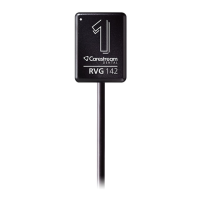
Details steps to prepare for capturing single dental images using the RVG sensor.
Outlines the process of acquiring and checking single dental images.
Guides on preparing for capturing multiple images for a Full Mouth Series.
Covers the process of capturing FMS images.
Guides through installing the RVG Connect driver.
Provides instructions for setting up the RVG Connect hardware.
Explains how to configure RVG Connect network settings.
Describes different network modes for RVG Connect.
 General
| Sensor Technology | CMOS |
|---|---|
| Image Resolution | 20 lp/mm |
| Pixel Size | 20 µm |
| Connectivity | USB 2.0 |
| Power Supply | USB powered |
| Gray Scale | 16-bit |
| USB Interface | USB 2.0 |
| Sensor Size | Size 2 |
| Software Compatibility | Carestream Dental Software |
| Sensor Size (mm) | Size 2 |
| Pixel Size (µm) | 20 µm |
| Compatibility | Windows |



 To Next Page
