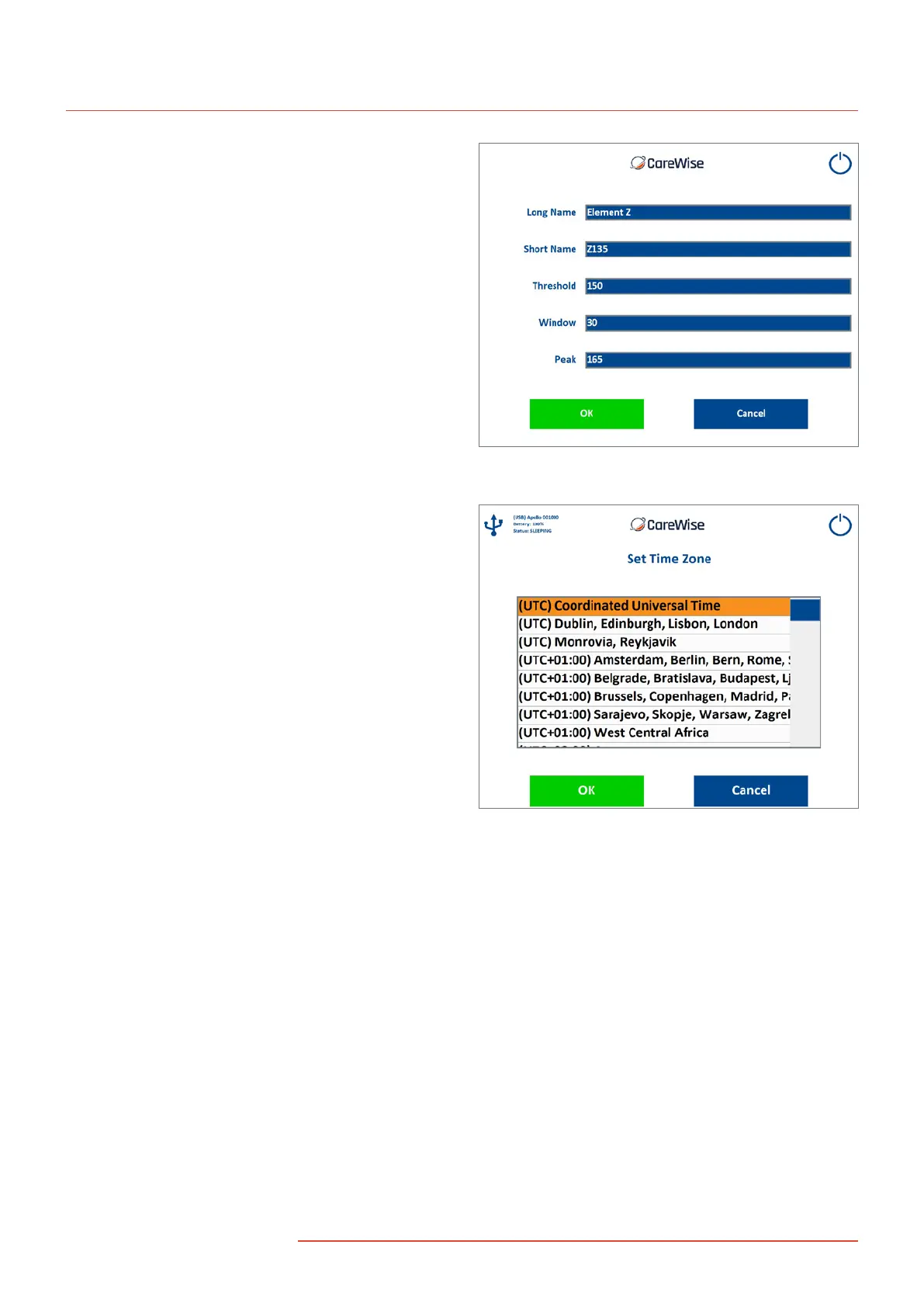
2.4-10.2 Edit/Create Isotope Screen
To create or edit an isotope entry from the Isotope Library Screen
(Section 2.4-10.1), selecting NEW will bring up the Edit/Create
Isotope Screen [Figure 18]. The user can enter the isotope’s full
name, as well as a shortcut name, threshold setting, window
setting, and primary photopeak using the on screen keyboard.
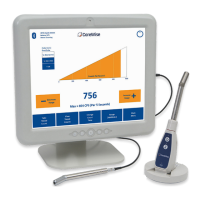
2.4-11 Set Time Zone Screen
The Set Time Zone Screen [Figure 19], reached from the
SETUP SCREEN [Figure 13], allows the user to select
the appropriate time zone.
Figure 18 – Edit/Create Isotope Screen
Figure 19 – Set Time Zone Screen
16
|
www.carewise.com
C-Trak Apollo


 To Next Page