Page | 29
Carlson Software
The WebUI can work on any PC, tablet, or phone that has Wi‐Fi network
capabilies.
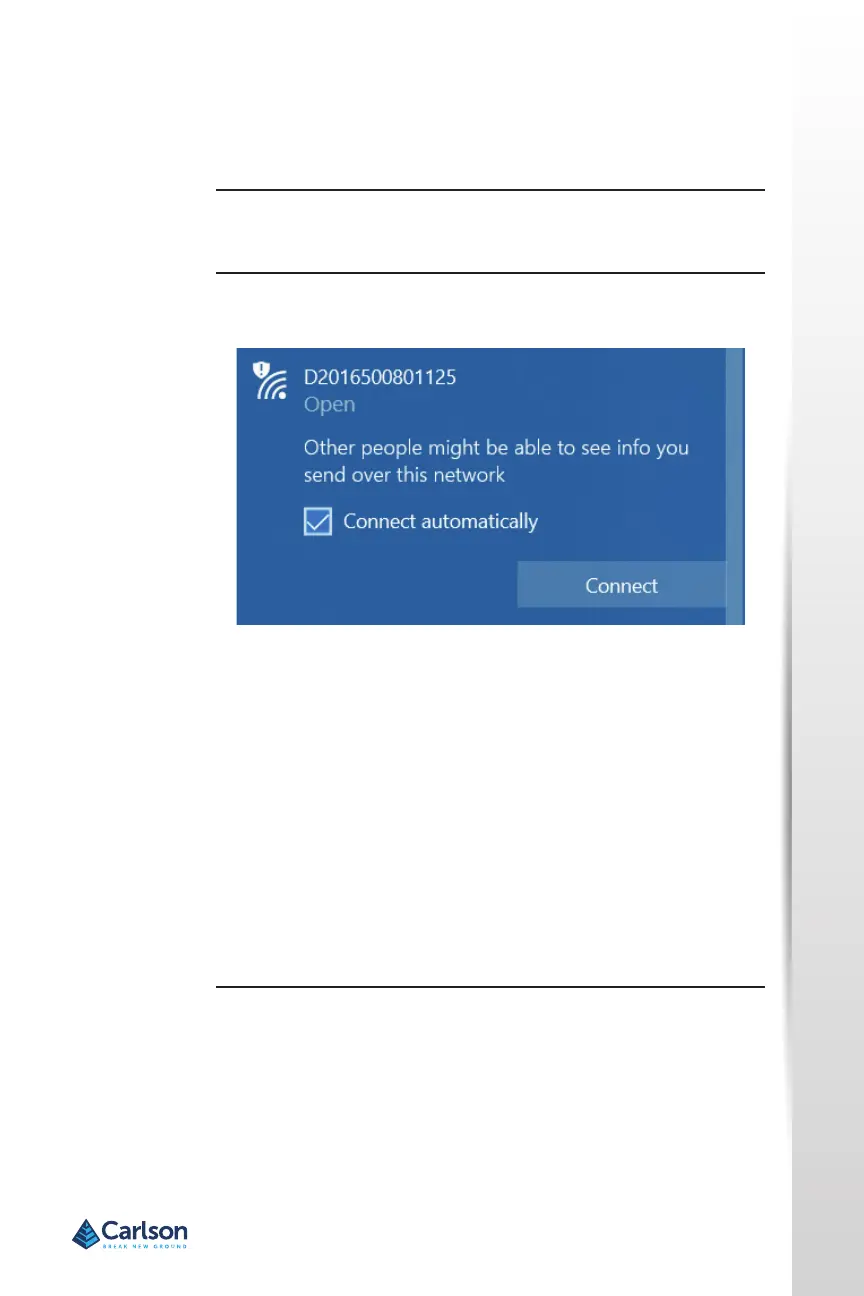
Using the Windows Wi‐Fi network, locate the Wireless Network
Connecon labeled the same as the serial number of the device.
lf you want this network to automacally connect, select the Connect
automacally check box before pushing the Connect buon. lf not, click
the Connect buon. We suggest seng this to a private connecon.
Once connected to your device, type or copy the following IP address into
your URL bar:
hp:/ /192.168.10.1/
The WebUI will prompt you for a username and password. The default
username and password are:
• Username: admin
• Password: brx7
Carlson WebUI
lnial setup
WebUI


 To Next Page