Page | 51
Carlson Software
Firmware Update
Updang
Firmware via
WebUI
Updang Firmware via WebUI
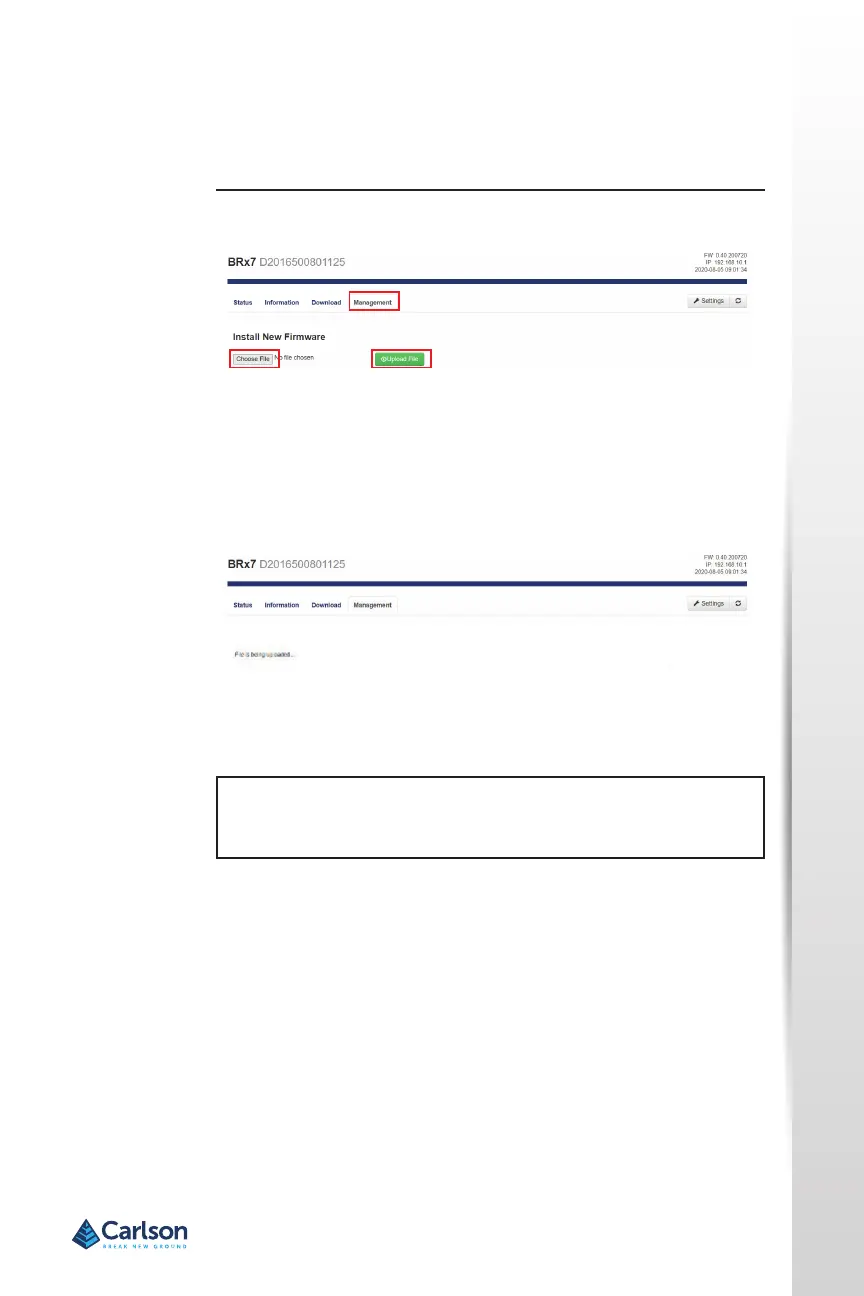
Using the Management tab under the WebUI, select the Choose File but-
ton to nd the appropriate rmware of applicaon soware for the BRx7
device.
Aer selecng the correct rmware/soware le, click the green Upload
File buon.
When the le is uploaded, be sure to compare the current rmware ver-
sion with the new rmware version. When you have veried the correct
les are in place, click the OK buon.
NOTE: For addional informaon regarding periodic BRx7 rmware
updates, please contact your authorized Carlson dealer or Carlson Tech-
nical Support or refer to Carlson Knowledgebase arcle #1197).


 To Next Page