Page | 31
Carlson Software
WebUI (connued)
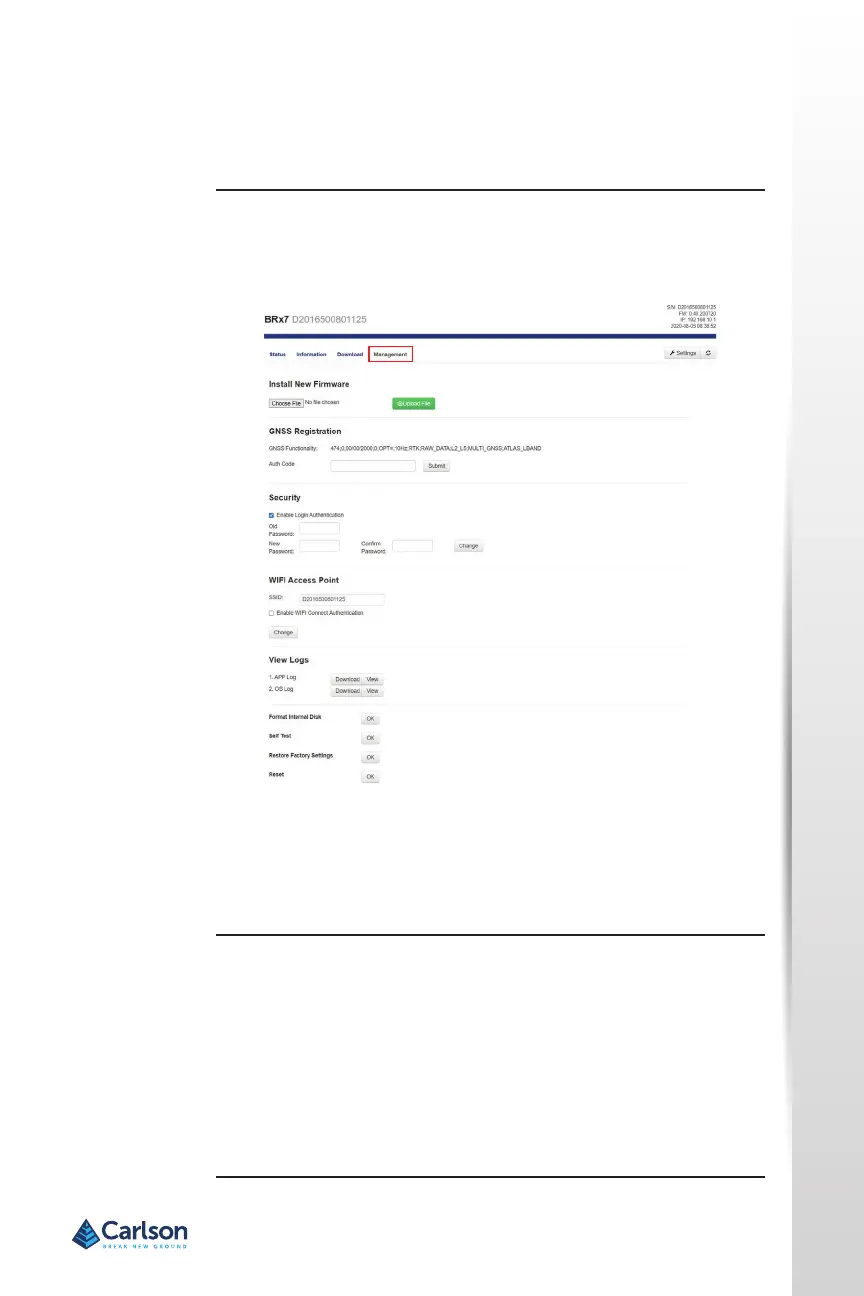
The Management tab provides access to the rmware update tools, a
terminal to register authorizaon codes, and password customizaon to
properly secure your device.
GNSS Registraon
GNSS Registraon displays the expiraon date of various subscripon
features on the BRx7.
The Atlas expiraon date will be displayed under this eld. ln addion, the
ability to update the BRx7 with new subscripons is available under the
AuthCode eld. Type the new Atlas code and the device will automacally
update.
Install New Firmware
This feature allows you to update the menu applicaon soware. Once the
correct soware is selected under the Choose File browser, the Upload File
buon iniates the update procedure and re‐starts the BRx7 device.
Management tab


 To Next Page