EasyManua.ls Logo

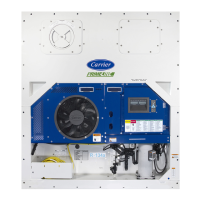
Carrier 69NT40-561-201 - User Manual

Carrier 69NT40-561-201
117 pages
Print Icon
To Next Page IconTo Next Page
Loading...
T364 Rev A
OPERATION & SERVICE MANUAL
For
69NT40-561-201
Evergreen Container Refrigeration Units
Container Refrigeration

Table of Contents

Questions and Answers

  • S
    samantharamosAug 3, 2025
    What to do if my Carrier 69NT40-561-201 Air Conditioner shows AL08 error?
    • A
      Alisha MillerAug 3, 2025
      If your Carrier Air Conditioner displays the AL08 error, indicating a high compressor pressure ratio, first confirm the accuracy of the DPT pressure readings, referring to the MANIFOLD GAUGE SET Section 6.2. If the DPT is defective, it should be replaced. The controller attempts to correct this by restarting the compressor when it detects the discharge pressure to suction pressure ratio is too high.
  • J
    Jasmine Ramirez DVMAug 9, 2025
    How to fix AL14 Phase Sequence Detect Fault in Carrier Air Conditioner?
    • N
      Nicholas PriceAug 9, 2025
      If your Carrier Air Conditioner shows the AL14 error, which indicates a Phase Sequence Detect Fault, try power cycling the unit. Check the unit wiring and confirm pressure readings during start-up; suction pressure should decrease and discharge pressure should increase. Check Cd41, right most digit: If display is 3 or 4 check compressor / sensor wiring. If display is 5 the current sensor is defective. If the current sensor is defective, replace it.
  • K
    Kevin LutzAug 13, 2025
    What to do if my Carrier 69NT40-561-201 shows AL03 Loss of Superheat Control error?
    • M
      Misty AndersonAug 13, 2025
      If your Carrier Air Conditioner displays the AL03 error, indicating a loss of superheat control, check the operation of the EEV using Cd41. Replace the EEV if it's defective. Also, verify the accuracy of the temperature sensors, refer to Sensor Checkout Procedure Section 6.22, and replace the ETS or ETS1 if defective. Confirm the evaporator fans are operating properly, and replace them if they are not working, refer to EVAPORATOR FAN MOTOR ASSEMBLY Section 6.14. This error occurs when the superheat remains below 1.66°C (3°F) for five continuous minutes while the compressor is running, the compressor is drawing more than 2.0 amps, the compressor pressure ratio is greater than 1.8, and the Electronic Expansion Valve (EEV) is at 0% open.
  • A
    andrew32Aug 19, 2025
    What to do if my Carrier 69NT40-561-201 displays AL06 Keypad error?
    • S
      Sarah CordovaAug 19, 2025
      If your Carrier Air Conditioner is showing AL06 error, which indicates a Keypad or Keypad Harness Fail, try power cycling the unit. If the alarm reappears, replace the keypad and harness. This error occurs when the controller detects continuous activity from one of the keypad keys.
  • S
    Sean DonovanAug 23, 2025
    What to do if my Carrier 69NT40-561-201 shows AL05 Manual Defrost Switch Failure?
    • A
      Andrea GilesAug 23, 2025
      If your Carrier Air Conditioner displays the AL05 error, which indicates a Manual Defrost Switch Failure, power cycle the unit. If the alarm reappears after 5 minutes, replace the keypad. This error occurs when the controller detects continuous Manual Defrost Switch activity for five minutes or more.
  • A
    awagnerAug 29, 2025
    Why is my Carrier 69NT40-561-201 showing AL07 error?
    • C
      Christopher HernandezAug 29, 2025
      If your Carrier Air Conditioner displays AL07, and the fresh air vent is open with a frozen set point, manually reposition the vent and confirm using Cd45, referring to VENT POSITION SENSOR SERVICE Section 6.23. If you are unable to obtain a zero reading, replace the defective VPS. The error occurs when the VPS reads greater than 0 CMH while the unit is in frozen mode.

Summary

Safety Summary

General Safety Notices

Basic safety precautions for operation and maintenance of the equipment covered.

Specific Warning and Caution Statements

Detailed warnings and cautions regarding hazards and unsafe conditions.

Introduction to the Unit

Unit Overview and Identification

General introduction to the unit and how to identify its configuration.

Key Unit Features

Detailed descriptions of various components and features of the unit.

Unit Description

General Description and Front Section

Overall unit description and components accessible from the front.

Evaporator, Compressor, and Condenser Sections

Description of the evaporator, compressor, and condenser sections and their components.

Control Box and Communications Module

Details on the control box contents and the communications interface module.

Unit Specifications

Refrigeration System Data

Technical data for the refrigeration system including components and specifications.

Electrical Data

Electrical specifications, parameters, and data for unit components.

Safety and Protective Devices

Information on safety features and protective mechanisms integrated into the unit.

Refrigeration Circuit Operation

Details on standard, economized, and EEV operation of the refrigeration circuit.

Microprocessor Control System

System Overview and Components

Description of the microprocessor system, including keypad, display, and controller.

Controller Software and Modes

Details on controller software, configuration, operational codes, and modes of operation.

Defrost, Protection, and Alarms

Procedures for dehumidification, cooling/heating, defrost, protection modes, and controller alarms.

DataCORDER Functions and Pre-Trip Tests

Pre-trip diagnostics, DataCORDER description, software, configurations, alarms, and ISO trip header.

Controller Configuration, Function Codes, and Alarms

Configuration variables, function codes, and detailed alarm indications.

Pre-Trip Test Codes

Detailed descriptions of various pre-trip test codes for system diagnostics.

Unit Operation

Pre-Operation Inspection and Power Connection

Steps for inspecting the unit before operation and connecting power safely.

Air Makeup Vent, Monitoring, and Starting;Stopping

Adjusting vent, connecting monitoring, and unit start/stop procedures.

Start-Up Inspection and Pre-Trip Diagnosis

Detailed startup checks and pre-trip diagnostic procedures.

Probe Diagnostics

Procedures for diagnosing temperature probe issues and ensuring accuracy.

Troubleshooting Common Issues

Unit Start-Up and Cooling Problems

Diagnosing issues with unit starting, stopping, and continuous cooling.

Heating, Defrost, and Pressure Issues

Troubleshooting insufficient heating, defrost failures, and abnormal pressures.

Noise, Malfunctions, and Airflow Problems

Addressing noise, microprocessor issues, airflow restrictions, and EEV malfunctions.

Temperature, Current, and Compressor Issues

Troubleshooting abnormal temperatures, currents, and compressor operation.

Service Procedures and Tools

Section Layout and Manifold Gauge Set

Overview of the service section and basic tool usage for system diagnostics.

Service Connections and Pump Down

Procedures for making service connections and pumping down the unit.

Refrigerant Handling

Refrigerant Leak Checking

Methods for detecting refrigerant leaks in the system.

Evacuation and Dehydration

Procedures for removing moisture and air from the refrigeration system.

Refrigerant Charge Procedures

Steps for checking and adding refrigerant to the system.

Compressor and High Pressure Switch Service

Compressor Removal and Replacement

Step-by-step guide for safely removing and replacing the compressor.

High Pressure Switch Service

Procedures for checking and replacing the high pressure switch.

Condenser Service

Condenser Coil Service

Procedures for cleaning, removing, preparing, and installing the condenser coil.

Condenser Fan and Filter Drier Service

Procedures for servicing the condenser fan motor and filter drier.

Evaporator and EEV Service

Evaporator Coil and Heater Service

Procedures for evaporator coil and heater replacement.

Evaporator Fan Motor and Section Cleaning

Replacing fan motor assembly and cleaning the evaporator section.

Electronic Expansion Valve Service

Procedures for replacing the Electronic Expansion Valve (EEV).

Valve Service

Economizer and Digital Unloader Valve Service

Service procedures for economizer solenoid, expansion valves, and digital unloader valve.

Valve Override Controls

Using valve override controls for troubleshooting and timed operations.

Controller and Sensor Service

Controller Handling and Troubleshooting

Guidelines for handling controller modules and basic troubleshooting.

Software Programming and Controller Replacement

Procedures for software loading, controller replacement, and battery replacement.

Temperature Sensor Service and Replacement

Detailed procedures for checking and replacing various temperature sensors.

Vent Position Sensor (VPS) Service

Procedures for servicing the vent position sensor and its calibration.

Unit Maintenance and Installation

Painted Surface Maintenance

Guidelines for maintaining the unit's painted surfaces against corrosion.

Communications Interface Module Installation

Steps for installing the communications interface module.

Electrical Wiring Schematics

Introduction to Schematics

Overview of the electrical wiring schematics section.

Component Legend

Explanation of symbols used in electrical diagrams.

Schematic and Wiring Diagrams

Visual representation of the unit's electrical systems.

Carrier 69NT40-561-201 Specifications

General IconGeneral
Model69NT40-561-201
RefrigerantR-410A
Phase1
Compressor TypeScroll
Operating Voltage208-230V

Related product manuals