Loadcell test method
Power off before testing the loadcell output voltage and check that the
loadcell output voltage(SIG+, SIG-) is same as the specified output voltage
with ON/OFF key in the front panel pressed.
CALIBRATION MODE
Moving method
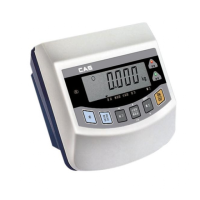
Open the top cover of indicator and power on with CAL switch pressed. At
that time, LCD screen shows “ZERO=TEST TARE=CAL” message and
pressing ‘Tare’ key moves into CAL 1.
Calibration menu (CAL 1 ~ CAL 5)
CAL 1: Maximum capacity setting
CAL 2: Minimum division setting
CAL 3: Span weight setting
CAL 4: Zero calibration
CAL 5: Span calibration
Digit input method
: Increase the first place value by 1.
: Move to the left by 1 place.
: Set the inputted value to “0”.
: Move to the next menu.
ZERO
ENTER
Ex) 150 input
key : Press once (LCD screen:0)
key : Press once (LCD screen:1)
key : Press once (LCD screen:10)
key : Press once (LCD screen:15)
key : Press once (LCD screen:150)
ZERO
23



 To Next Page
 Loading...