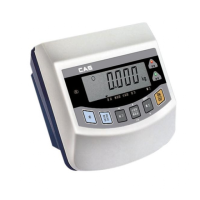
Key functions in Simple weighing mode
& in Low/High comparing mode.
7
KEY: Use to display NET weight or GROSS weight.
KEY: Use to weigh the moving object.
(Manual, Automatic)
Key functions in COUNT mode
KEY: Use to display the unit weight.(for approx. 5 sec.)
KEY: Use to display the current weight.
(for approx. 5 sec.)
SYSTEM MODE
Simple weighing mode : Display the weight after weighing.
High/Low comparing mode : Determine that the weight is high,
normal or low value and perform the display.
Count mode : Display the quantity by setting the unit or sample
weight.
Quantity comparing mode : Perform the display after discrimination
by setting High/Low quantity.
MODE CONVERSION
Press key for 2 sec. to display the following message.
Execute depending on the below mode conversion and setting
method.
DIGIT INPUT METHOD
Input the digit in use of the below keys.
KEY: Use to set the inputted value to 0 .
KEY: Use to increase the first place of value by one.
NET
GROSS
HOLD
U.W.
W.
ZERO
MODE



 To Next Page
 Loading...