EasyManua.ls Logo

CAS BI Series - Input Methods and Mode Conversion; Digit Input: Move Left; Digit Input: Decimal Point; Digit Input: Complete Input

CAS BI Series
28 pages
Print Icon
To Next Page IconTo Next Page
To Previous Page IconTo Previous Page
Loading...
8
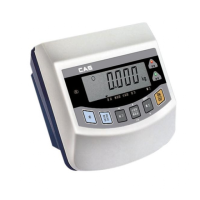
KEY : Use to move the inputted value to the left by one place.
KEY: Use to input a decimal point.
KEY: Use to complete the input
Ex) For 20.5 input
DISPLAY KEY DESCRIPTION
Step 1
Step 2
Step 3
Step 4
Step 5
Step 6
ENTER
MODE
Press once
(Set to 0 )
Press twice
(Input 2 as the
first place value)
Press once
(Move to the left
by one place)
Press once
(Decimal point input)
Press five times
(Input 5 as the
first place value)
Input completion
SIMPLE WEIGHING MODE CONVERSION
DISPLAY KEY PLATFORM DESCRIPTION
Step 1
Step 2
Press once
Press once.
Generally operated
ENTER
Empty
LO
kg
ENTER
MODE
All manuals and user guides at all-guides.com

Related product manuals