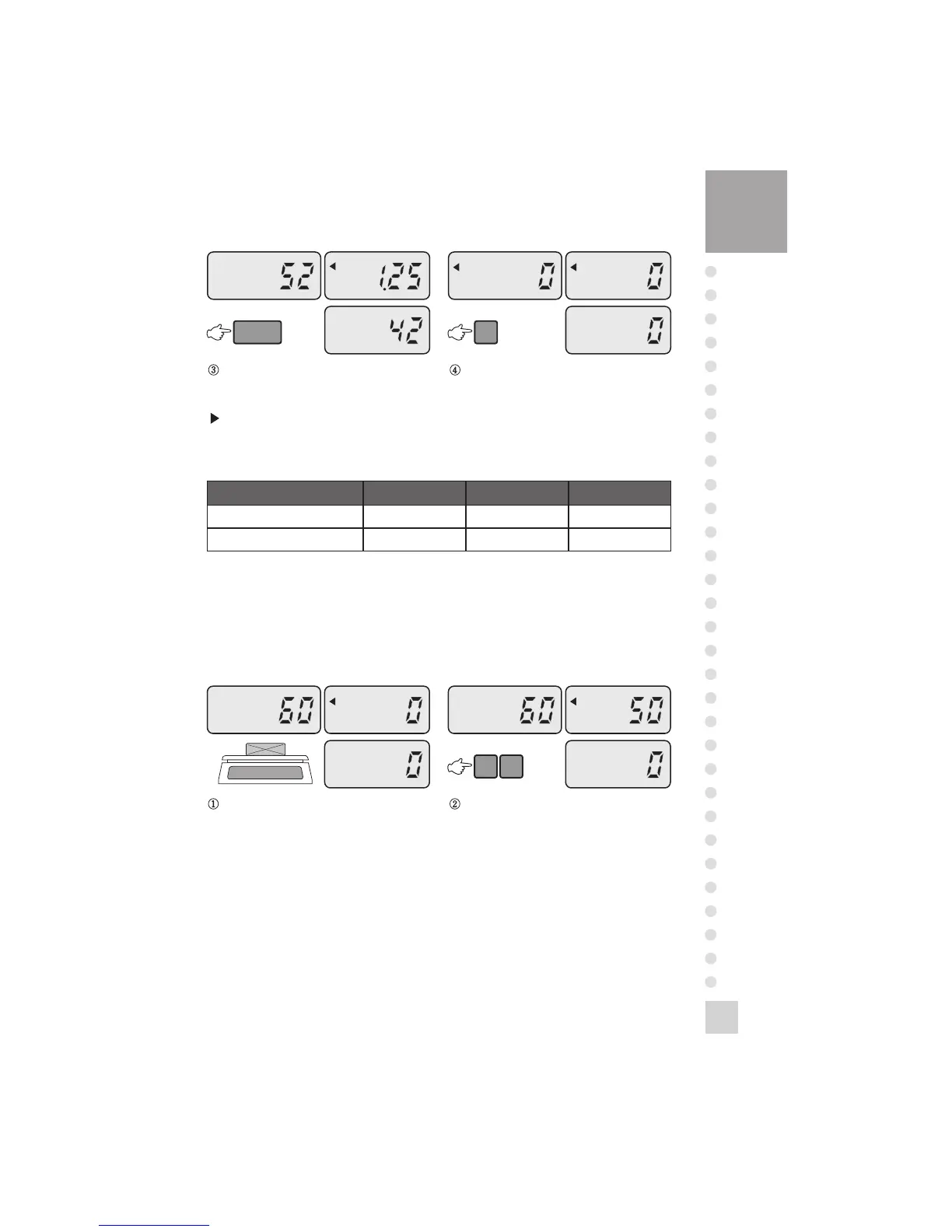
Press the ENTRY key, then you will see
the quantity of samples.
Remove the samples and press the C key.
NOTE: You have to enter the unit weight more than recommendation below.
(Refer to TABLE 1.)
TABLE 1.
MODEL SC-0.5P SC-10P SC-25P
LACK OF UNIT WEIGHT(g) Below 0.5g Below 1g Below 2.5g
LACK OF UNIT WEIGHT(lb) Below 0.001lb Below 0.0025lb Below 0.005lb
2. When You Know the Quantity of the Samples
When you know the quantity of the samples, you will know the unit weight of a
sample.
Make sure that ZERO lamp is on.
Place the samples on the platter. Enter the quantity of samples
(for example, 50 samples)



 To Next Page
 Loading...