10
3. Storing Unit Weight to Memory
NOTE: You have to place more samples than “Lack of sample” weight to know
the exact unit weight of a sample(Refer to TABLE 2.)
TABLE 2.
WARNING SC-0.5P SC-10P SC-25P
LACK OF SAMPLE(g) 25g 50g 125g
LACK OF SAMPLE(lb) 0.05lb 0.125lb 0.25lb
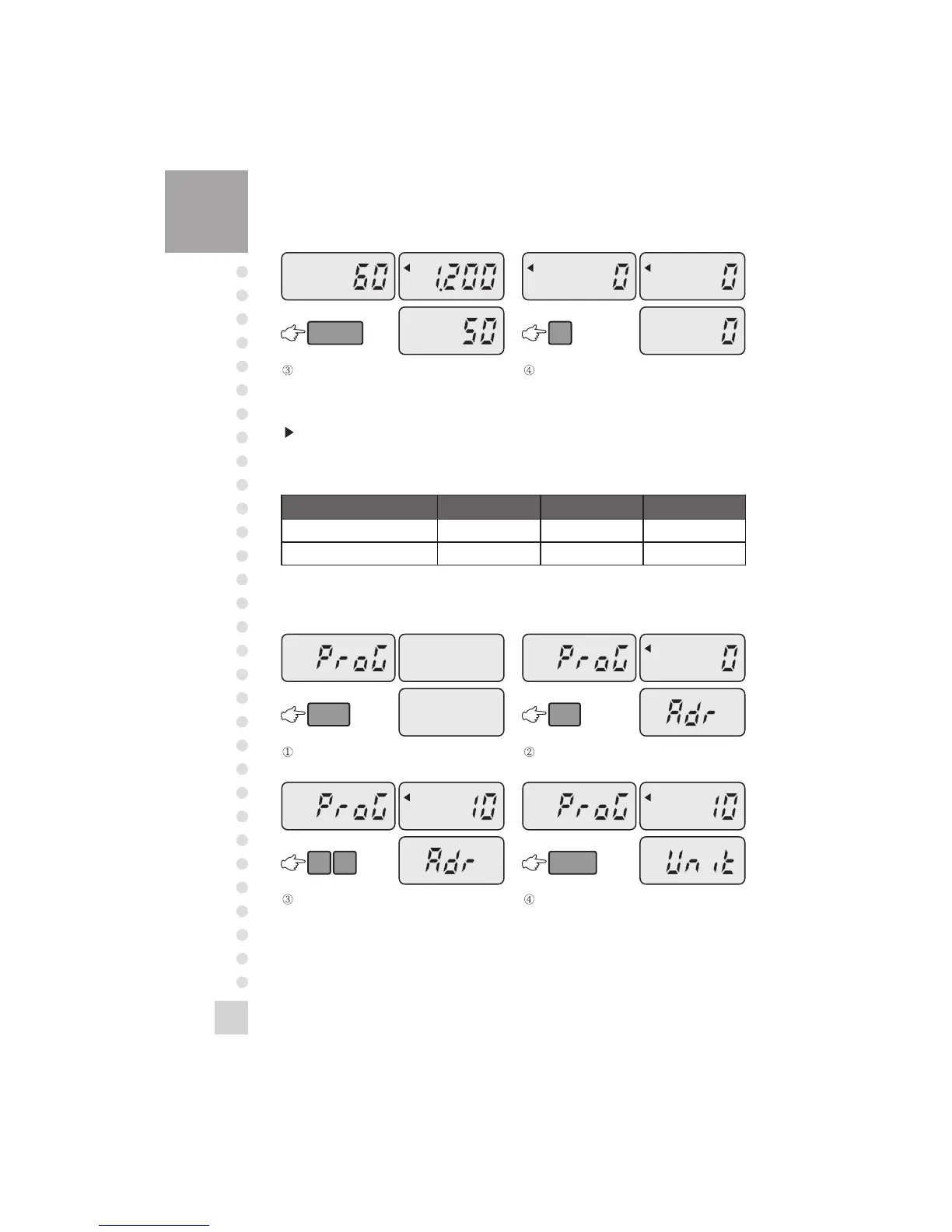
Press the SAMPLE key, then you will see the
unit weight of a sample on the unit weight
display.
Remove the samples and press the C key.



 To Next Page
 Loading...