19
.
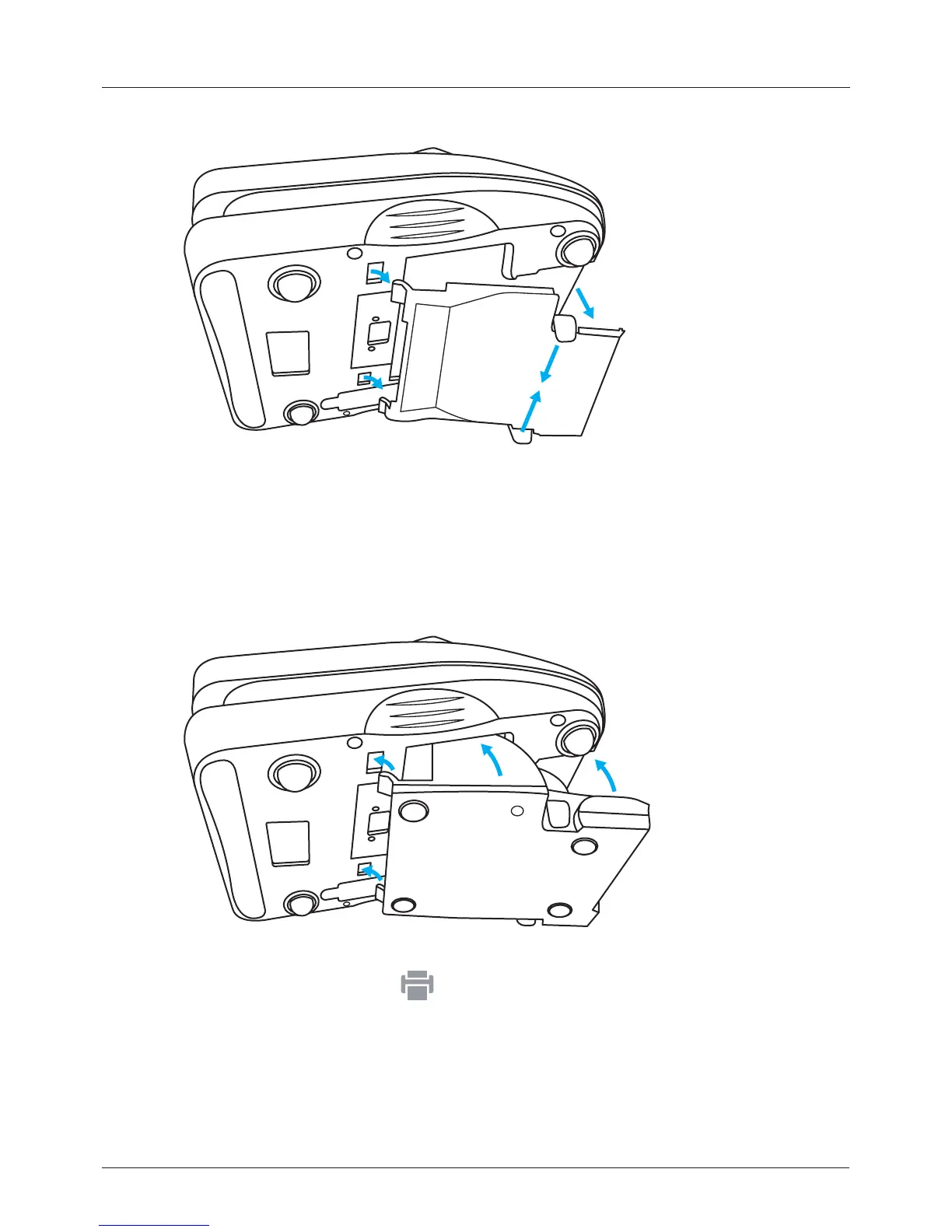
3. Carefully insert the two holding tabs on the printer into the base of the
counter.
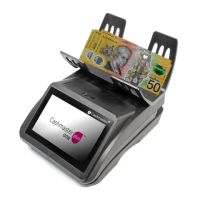
4. Lift the printer up and into the base of the counter.
5. Push the printer into the counter until you hear the click of the printer’s
retaining tabs.
Ensure that both tabs are fully in place.
After you have inserted the printer and powered up the counter, the printer icon
is shown in the status bar
2 Getting started


 To Next Page