18
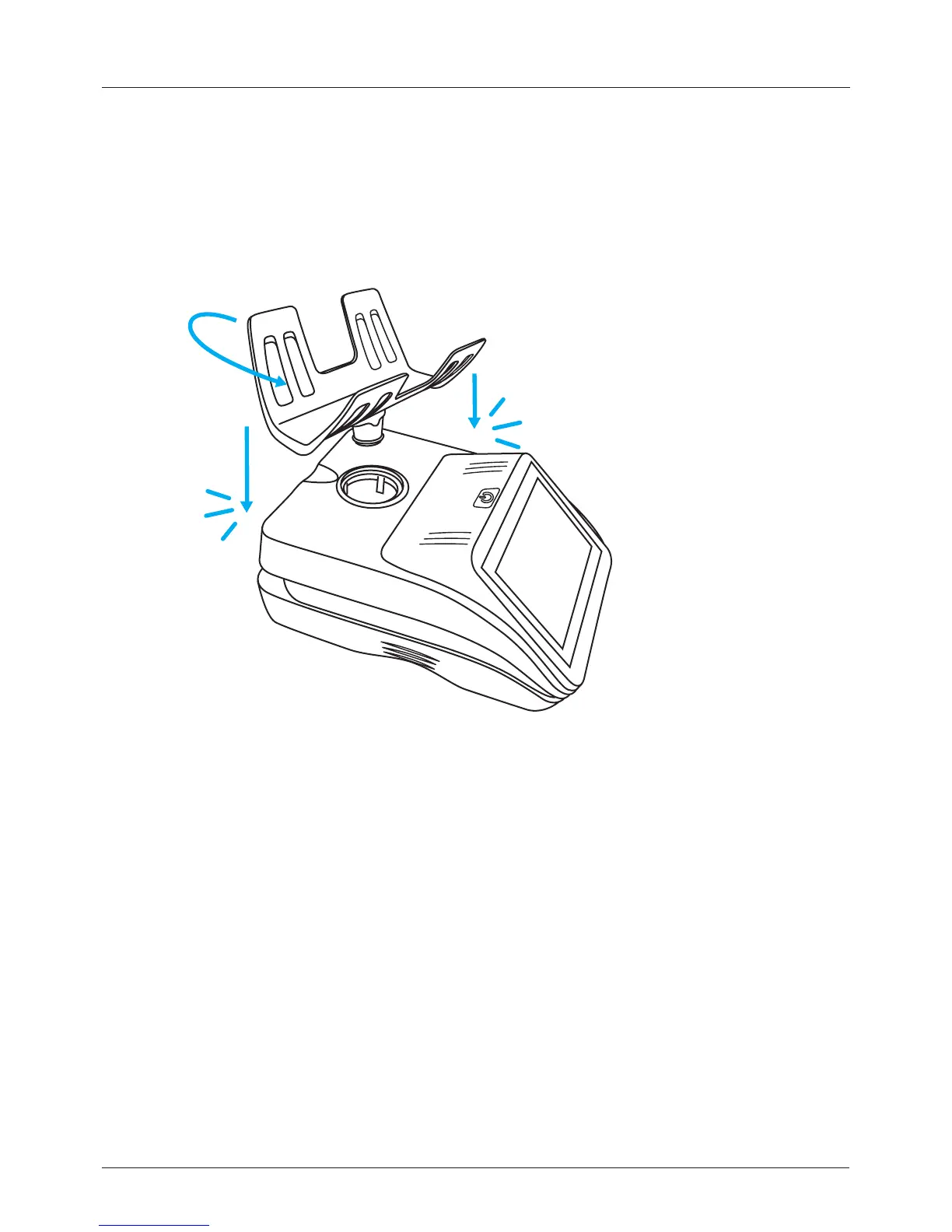
2.2 Install the hod
2.3 Install the oponal printer
1. Place the counter on a stable, level surface.
2. Insert the hod into the counter.
3. Gently twist the hod and push down until the hod clicks into position.
The Cashmaster Printer One can be integrated into the base of all counters.
1. Carefully turn over the counter.
2. Remove the base plate cover by pressing both retaining tabs and pulling the
base plate down and forward, towards the front of the counter.
2 Getting started


 To Next Page