10479 - vE
22
3 Interface
All variants of the Cashmaster One range have a touch-screen interface which
is used to perform count and setup tasks on the counter.
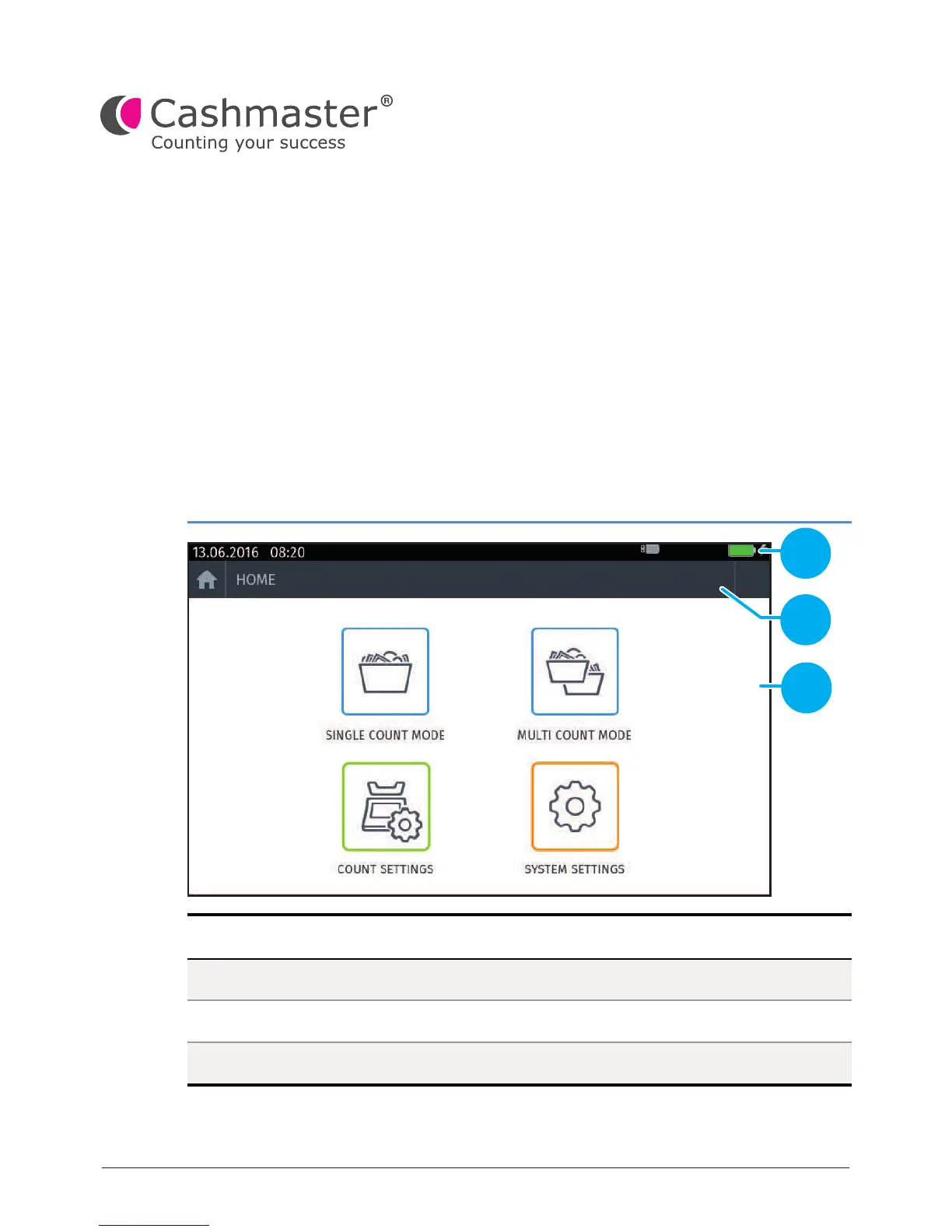
When the counter is powered up, a start-up screen is briey shown followed by
the Home screen for the variant of your counter.
Figure 1 - Cashmaster One Max Home screen
Item Description
Status bar
Help, Home and Workow control icons
Count and settings icons
1
2
3
The Home screen has several common features across all counter variants:
1
2
3


 To Next Page