23
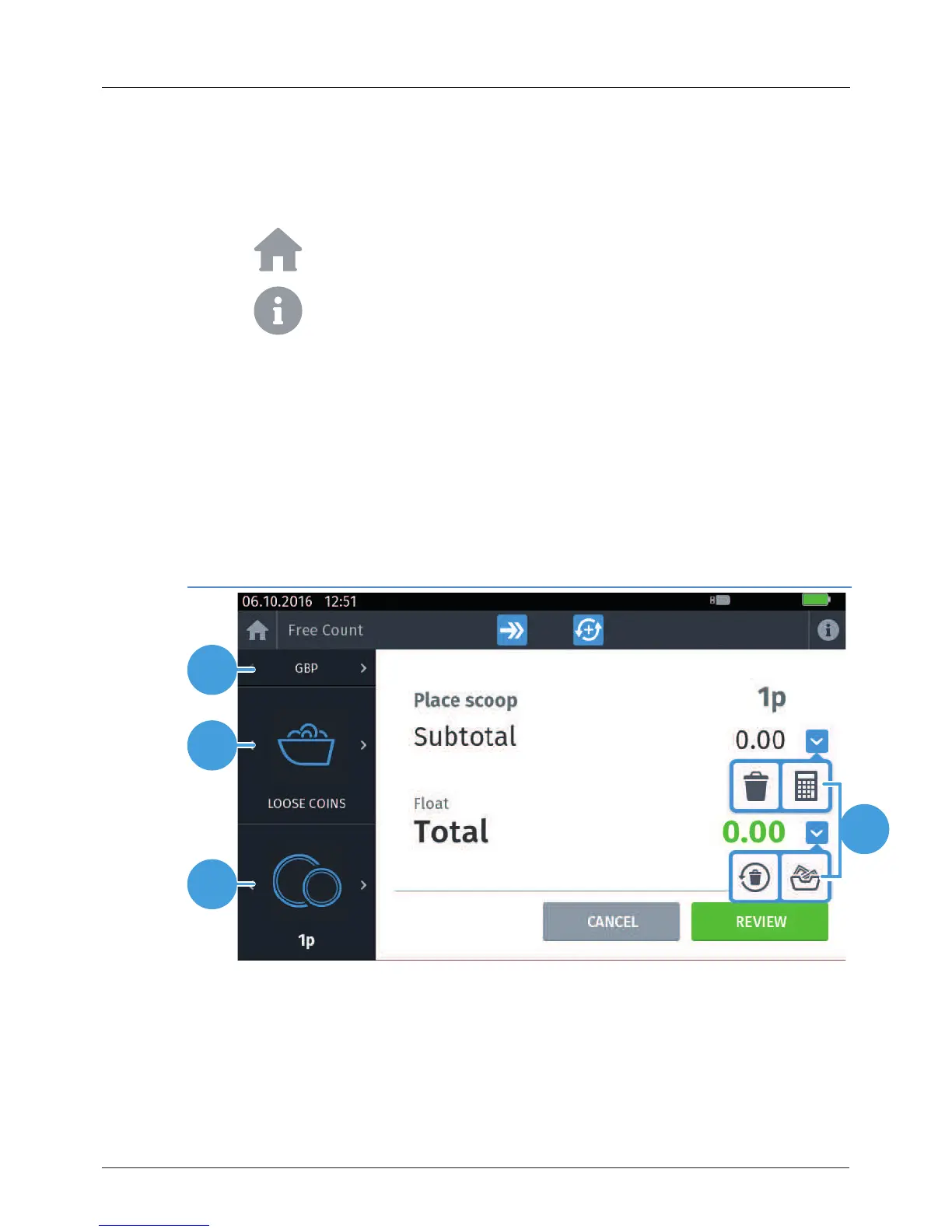
3.1 Count screen
1
2
3
4
• The Status bar is visible at the top of the interface, displaying time and date
information, and various icons that provide battery level, charging,
connectivity and peripheral status information.
• Tap to return to the Home screen.
• Tap to toggle information highlighting on the Count screen user
interface. Selecting a highlighted area displays additional information.
Each variant also has one or more Count screens containing additional
controls and information for the counting workow.
Figure 2 - Cashmaster One Plus/Max Count screen
3 Interface


 To Next Page