37
1. Remove the Cashmaster Printer One from the counter.
For more information, see Section 2.3 “Install the optional printer” on page 18
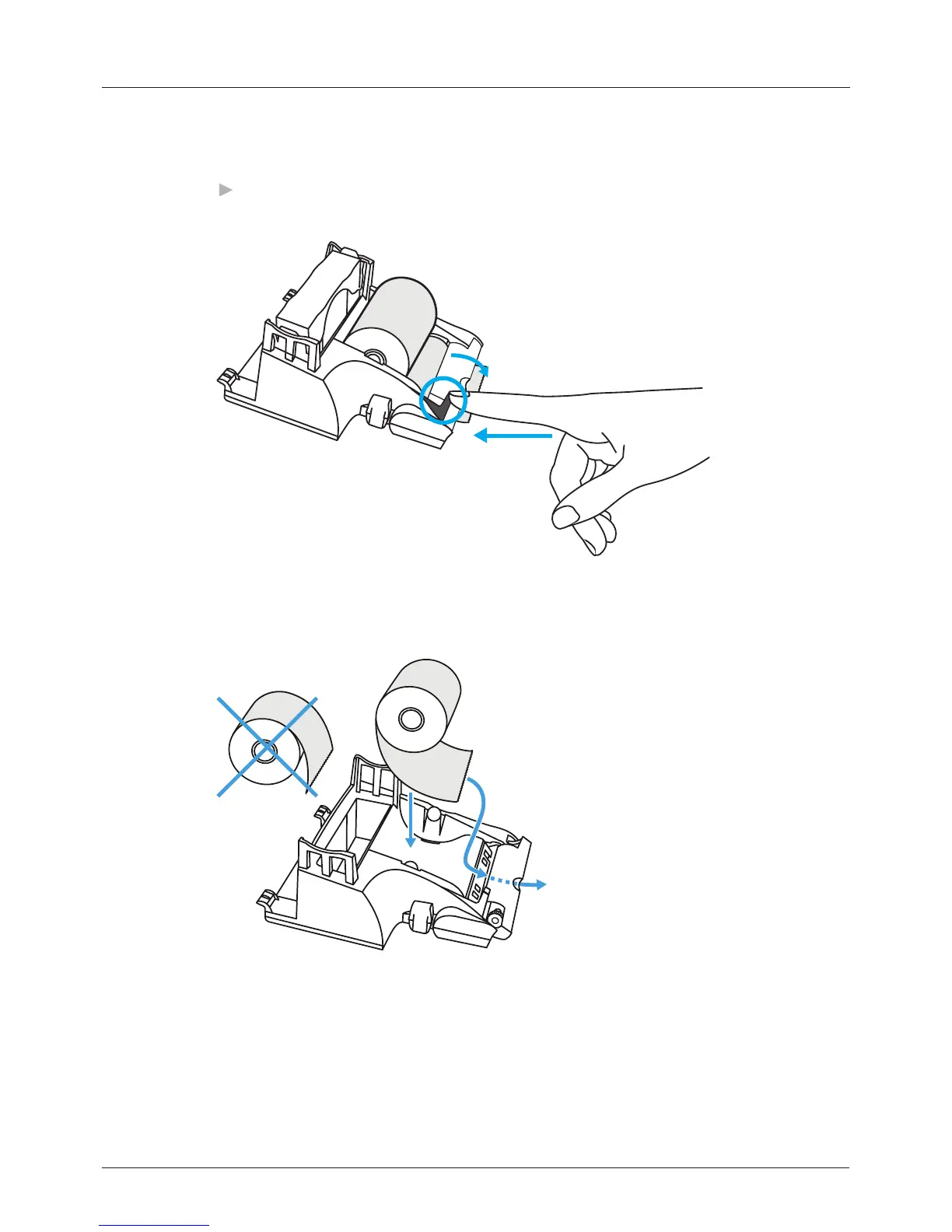
2. Press the release lever to the left of the print head.
The print head releases and springs forward.
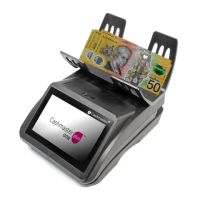
3. Replace the printer roll, paying attention to the orientation of the new roll
when inserted.
4. Feed the end of the printer roll through the print head.
5. Push the print head back into place until it engages with a click.
4 Operations


 To Next Page