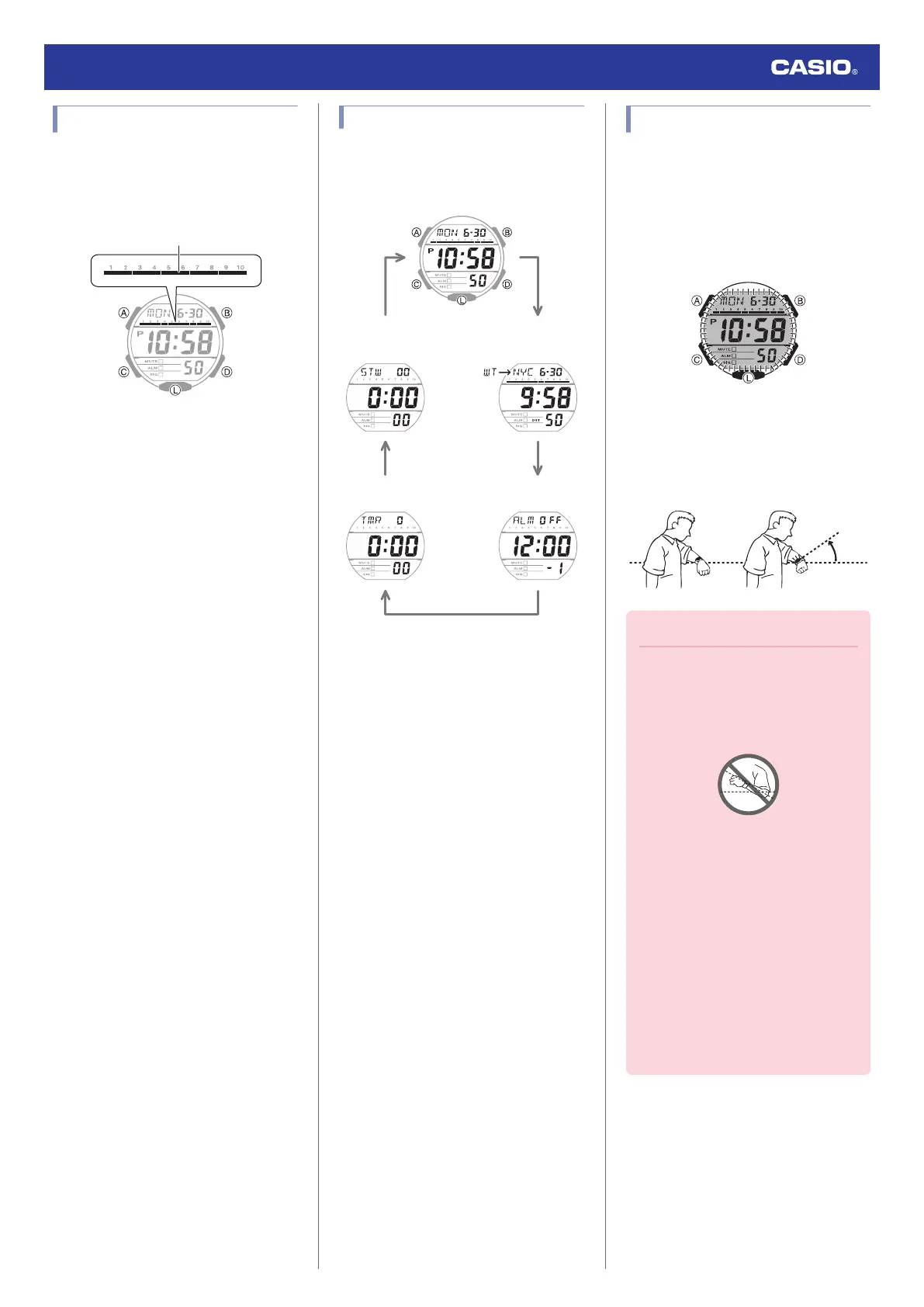
Graphic Display Area
Graphic display area operation is linked with
operations in each watch mode.
●
In the Alarm Mode, the graphic display is
blank.
Timekeeping Mode
Graphic display contents move in
coordination with current time seconds.
World Time
Graphic display contents move in
coordination with World Time seconds.
Stopwatch Mode
Movement is synchronized with the stopwatch
seconds.
Timer Mode
Movement is synchronized with the timer
seconds.
Navigating Between Modes
Each press of (C) cycles between watch
modes.
C
C
C
C
C
World Time Mode
Timer Mode
Alarm Mode
Timekeeping Mode
Stopwatch Mode
Viewing the Face in the Dark
The watch has a light that illuminates the face
for viewing in the dark.
●
To illuminate the face manually
Press (L) to turn on illumination.
●
Illumination will turn off automatically if an
alarm starts to sound.
●
To illuminate the face when Auto Light
is enabled
If Auto Light is enabled, face illumination will
turn on automatically whenever the watch is
positioned at an angle of 40 degrees or more.
Important!
●
Auto Light may not operate properly
when the watch is at a horizontal angle
of 15 degrees or greater from
horizontal as shown in the illustration
below.
●
Electro-static charge or magnetism
can interfere with proper auto light
operation. If this happens, try lowering
your arm and then angle it towards
your face again.
●
When moving the watch you may note
a slight rattling sound. This is due to
operation of the auto light switch,
which determines the current
orientation of the watch. It does not
indicate malfunction.
●
Frequent use of illumination will run
down the battery.
Watch Operation Guide 3569
6



 To Next Page