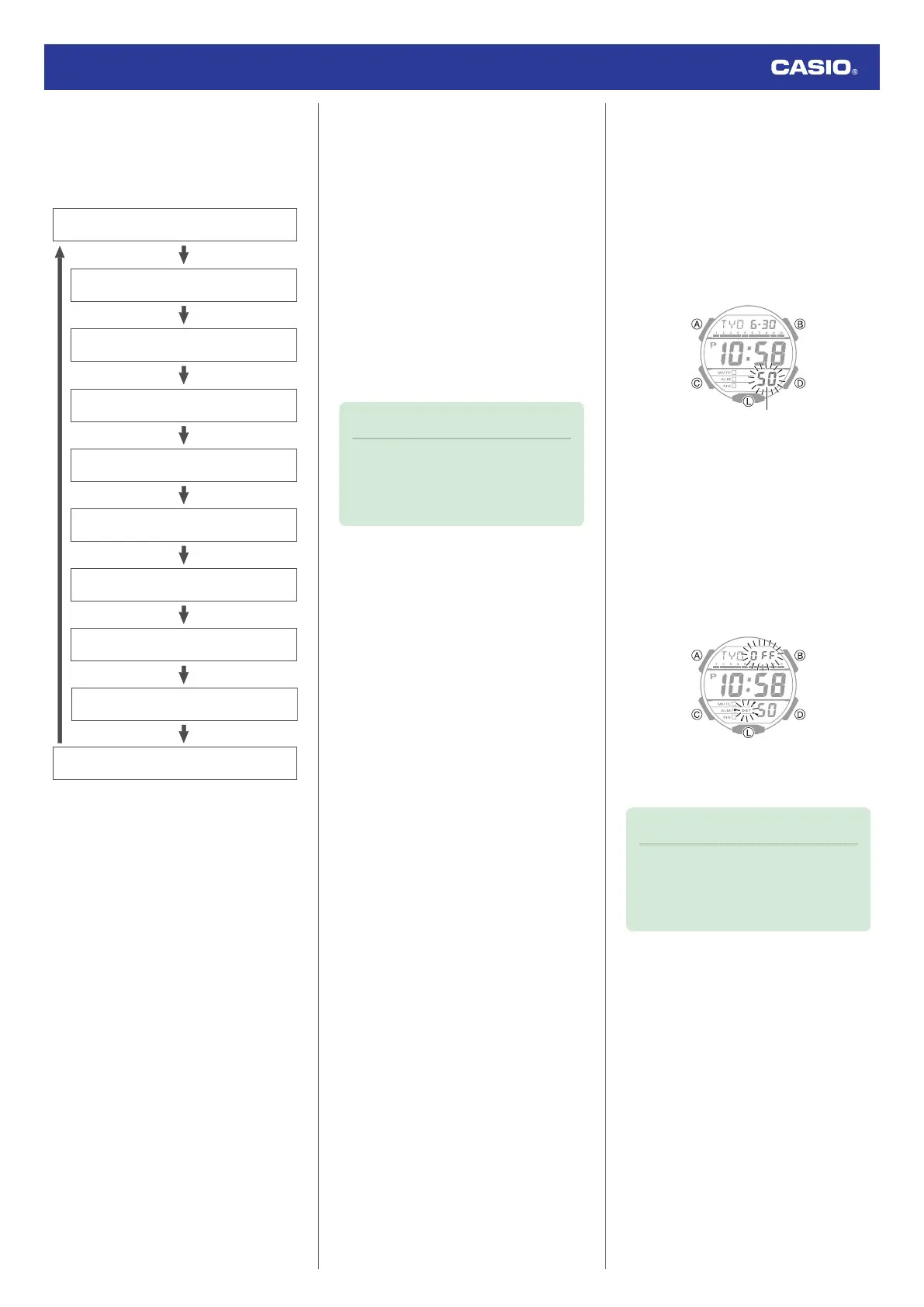
3. Use (C) to display the setting you want to
change.
●
Each press of (C) cycles through
settings in the sequence shown below.
Summer time
Seconds
12/24-hour timekeeping
Minutes
Hours
Day
Month
Ye a r
Home City
Illumination duration
4. Configure the date and time settings.
●
While the seconds are flashing,
pressing (D) will reset them to 00. 1 is
added to the minutes when the current
seconds count is between 30 and 59
seconds.
●
For all the other settings, use (B) and (D)
to change the flashing setting.
Holding down (B) or (D) scrolls through
settings at high speed.
5. Repeat steps 3 and 4 to select time and
date settings.
6. Press (A) to complete the setting
operation.
Note
●
While the setting is being configured,
the watch will exit the setting operation
automatically after about two or three
minutes of non-operation.
●
Configuring the Summer Time Setting
If you are in an area that observes summer
time, you can also configure a summer time
setting.
1. Enter the Timekeeping Mode.
l
Navigating Between Modes
2. Hold down (A) for at least one second.
Release the button when the seconds
start to flash.
3. Press (C).
4. Use (D) to change the summer time
setting.
●
[OFF]
The watch always indicates standard
time.
●
[on]
The watch always indicates summer
time.
5. Press (A) to complete the setting
operation.
Note
●
While the setting is being configured,
the watch will exit the setting operation
automatically after about two or three
minutes of non-operation.
Watch Operation Guide 3569
8



 To Next Page