Recording Your Keyboard Play
EN-129
1.
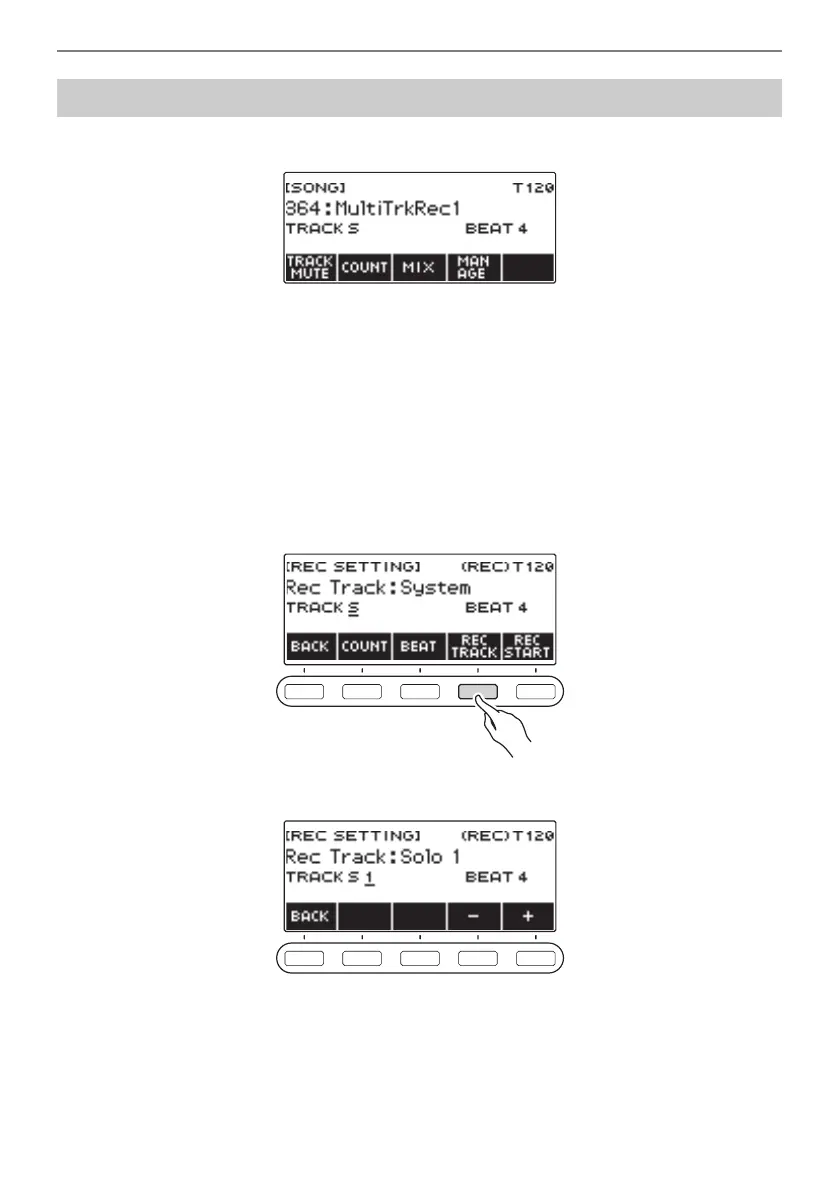
Press SONG.
• If you long-press RECORD when you are not using the recorder function, you can select the
first multi-track recorded song.
2.
Rotate the dial to select the Multi-track Recording you want to overdub.
3.
Press RECORD.
This enters record standby.
4.
Long-press RECORD.
This displays a record settings screen.
5.
Press REC TRACK.
6.
Rotate the dial to select the record destination track.
• After you rotate the dial once to select a record destination track, you can change the selection
further using – and +.
• To go back to the previous screen, press BACK.
• The beat can be changed only when the record destination is the system track.
Overdub Recording (Multi-track Recording)



 To Next Page
 Loading...







