Advanced Calculations
This section describes commands, functions, and symbols that are
common to all of the calculator apps. The order used here to present
commands, functions, and symbols is the same order in which they are
displayed on the CATALOG menu that appears when you press
.
Note
• There are also calculator app-specific CATALOG menu items, which are not shown
here. See the chapter for each calculator app for more information about app-specific
menu items.
• Depending on the calculator app you are using and the screen displayed by the
calculator app, you may not be able to input some commands, functions, or symbols.
Commands, functions, and symbols that cannot be input do not appear on the
CATALOG menu.
Function Analysis
This section explains commands and functions that you can input after
performing the operation:
– [Func Analysis].
Logarithm(logab), Logarithm(log)
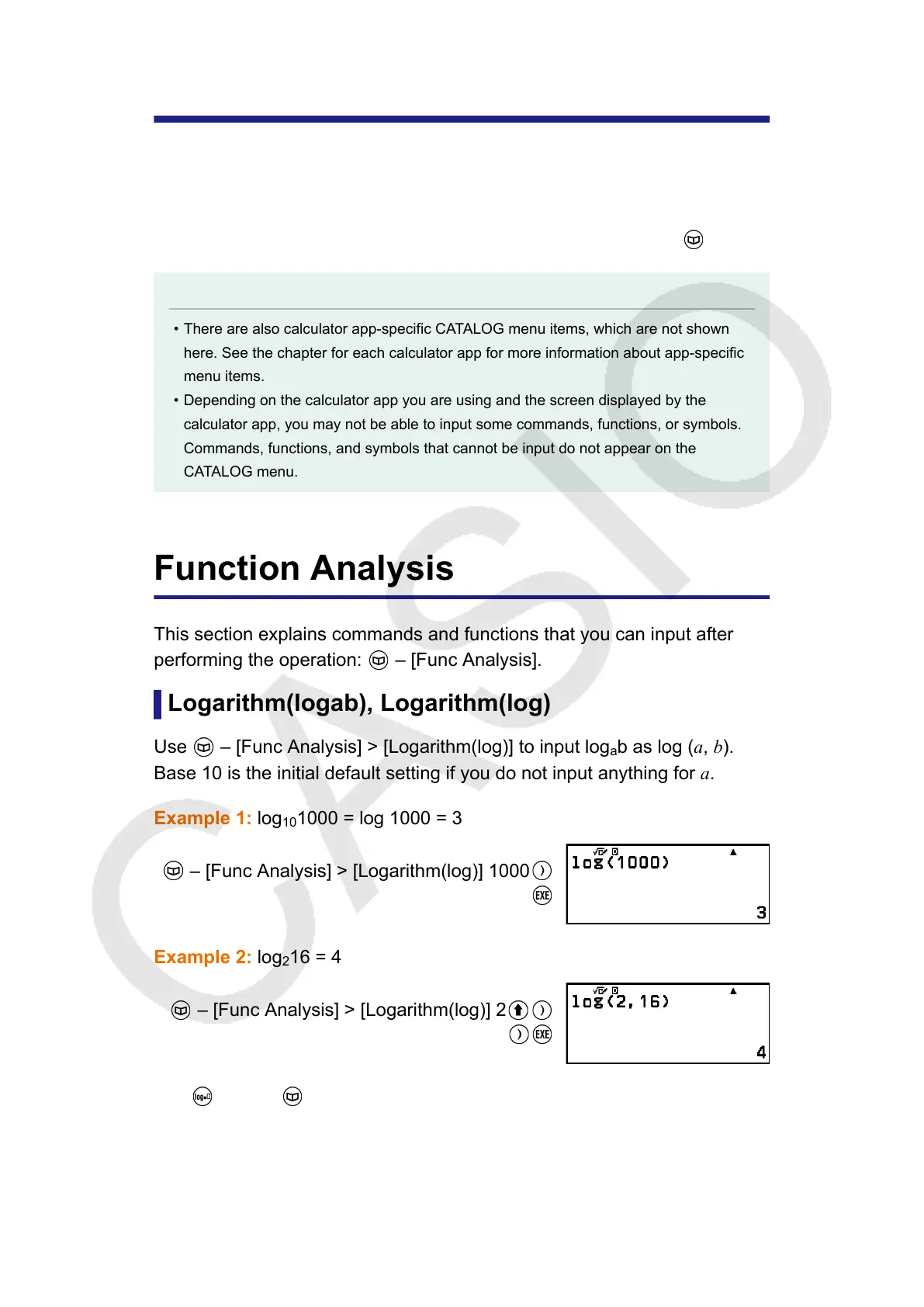
Use – [Func Analysis] > [Logarithm(log)] to input log
a
b as log (a, b).
Base 10 is the initial default setting if you do not input anything for a.
Example 1: log
10
1000 = log 1000 = 3
– [Func Analysis] > [Logarithm(log)] 1000
Example 2: log
2
16 = 4
– [Func Analysis] > [Logarithm(log)] 2
(,)16
The key (or – [Func Analysis] > [Logarithm(logab)]) also can be
used for input, but only while MathI/MathO or MathI/DecimalO is selected
for Input/Output on the SETTINGS menu. In this case, you must input a
value for the base.
45



 To Next Page