1. Perform steps 1 through 6 of the procedure under Example 4 (page
63).
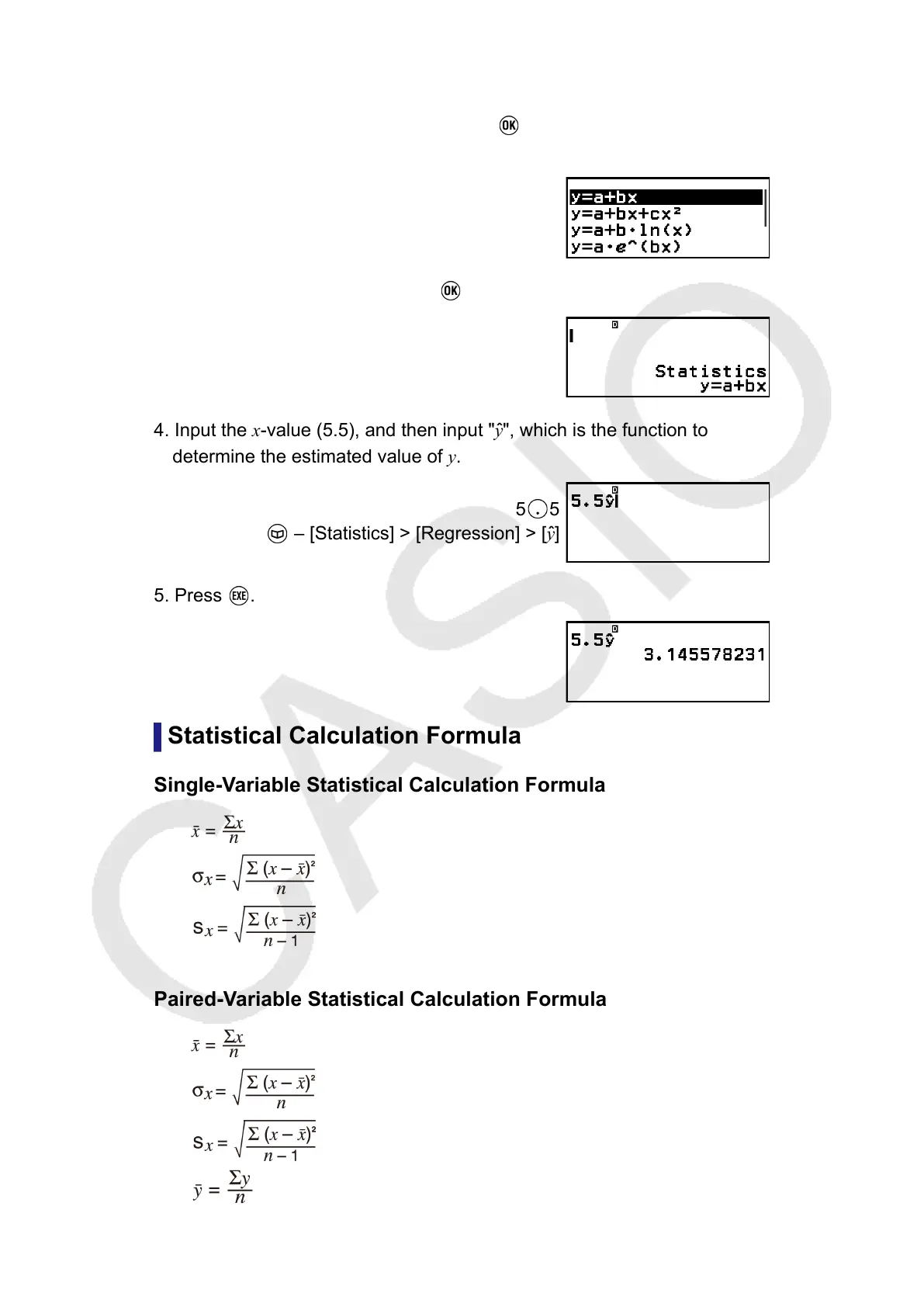
2. Select [Statistics Calc], and then press .
• This displays the regression type menu.
3. Select [y=a+bx], and then press .
4. Input the x-value (5.5), and then input "y
ˆ
", which is the function to
determine the estimated value of y.
5 5
– [Statistics] > [Regression] > [yˆ]
5. Press .
Statistical Calculation Formula
Single-Variable Statistical Calculation Formula
Paired-Variable Statistical Calculation Formula
71



 To Next Page