Using Calculator Apps
Statistical Calculations
The Statistics app calculates various statistical values based on single-
variable (x) or paired-variable (x, y) data.
General Procedure for Performing a Statistical
Calculation
1. Press
, select the Statistics app icon, and then press .
2. On the menu that appears, select [1-Variable] (single-variable) or [2-
Variable] (paired-variable), and then press .
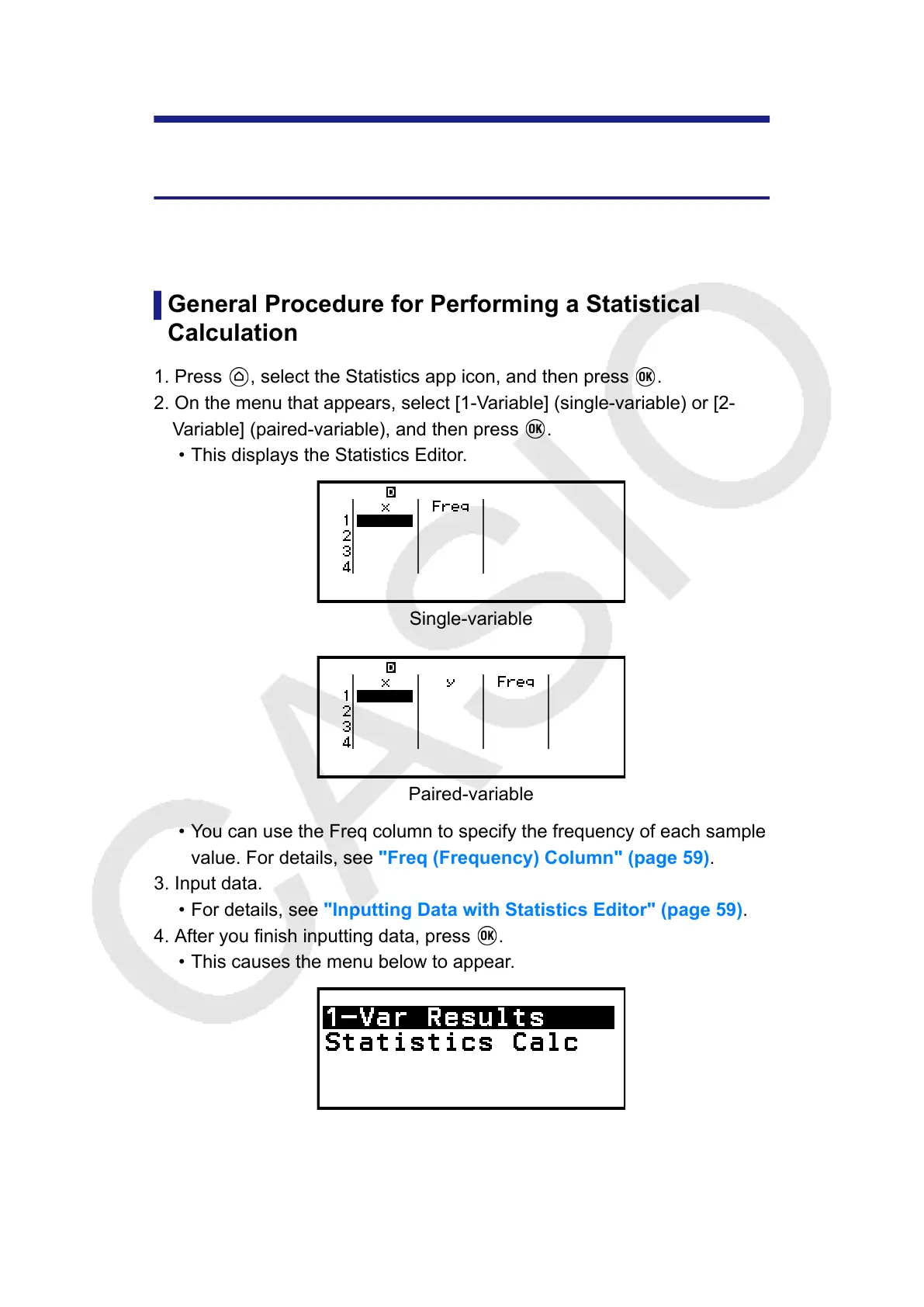
• This displays the Statistics Editor.
Single-variable
Paired-variable
• You can use the Freq column to specify the frequency of each sample
value. For details, see "Freq (Frequency) Column" (page 59).
3. Input data.
• For details, see "Inputting Data with Statistics Editor" (page 59).
4. After you finish inputting data, press
.
•
This causes the menu below to appear.
Single-variable
58



 To Next Page