• Press to return to the Statistics Editor.
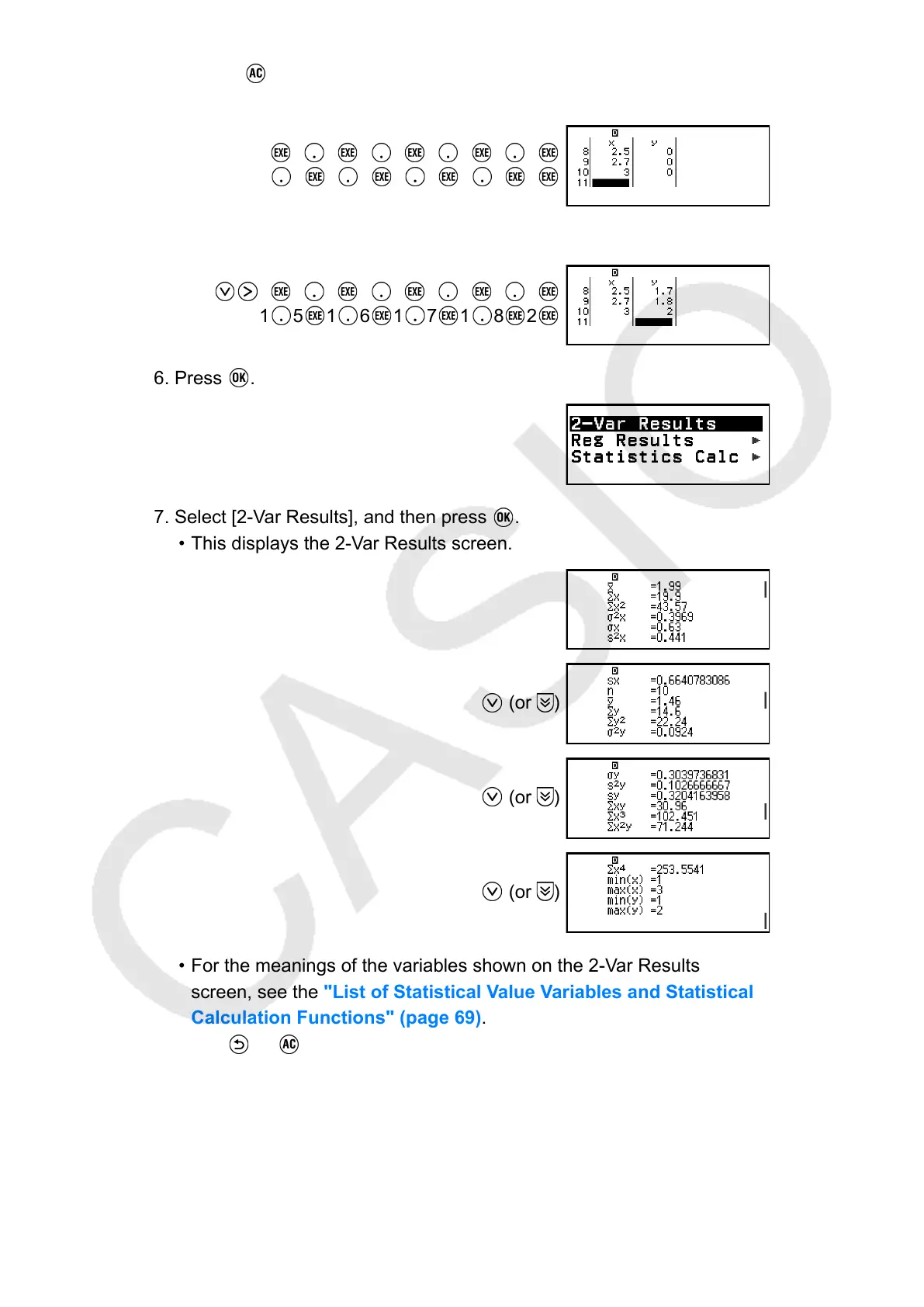
4. Input data into the x-column.
1 1 2 1 5 1 6 1 9
2 1 2 4 2 5 2 7 3
5. Input data into the y-column.
1 1 1 1 2 1 3 1 4
1 5 1 6 1 7 1 8 2
6. Press .
7. Select [2-Var Results], and then press .
• This displays the 2-Var Results screen.
(or )
(or
)
(or )
• For the meanings of the variables shown on the 2-Var Results
screen, see the "List of Statistical Value Variables and Statistical
Calculation Functions" (page 69).
8. Press
or to return to the Statistics Editor.
Displaying Regression Calculation Results
The Reg Results screen displays a list of regression calculation results
(coefficients of regression equations) based on paired-variable data. This
64



 To Next Page