4. Input -1.5 for a.
((-))1 5
5. After making sure that [Confirm] is selected, press .
To delete a registered expression
On the expression registration screen, select the registered expression
you want to delete, and then press .
Changing the Display Range of the Number Line Graph Screen
(View-Window)
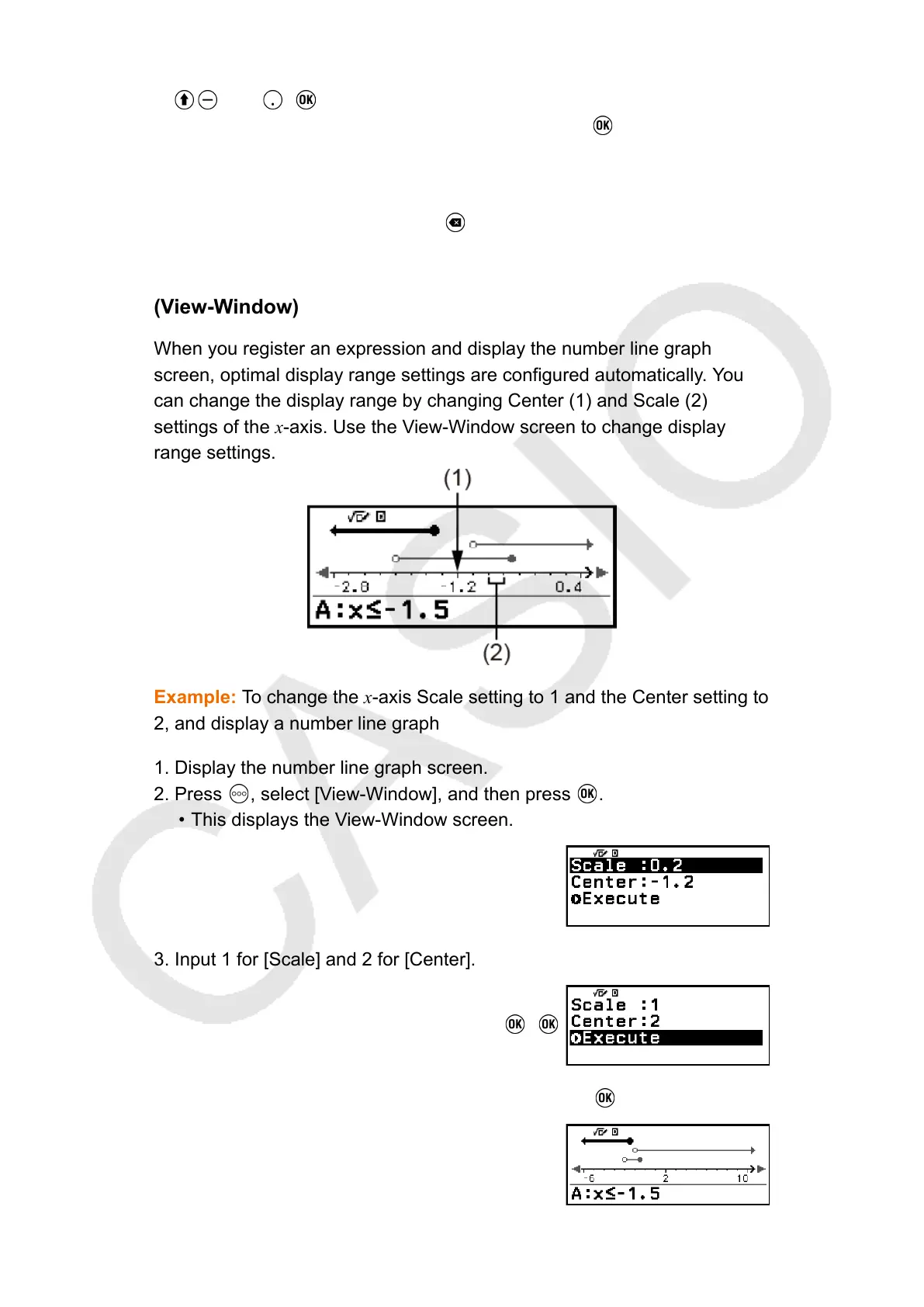
When you register an expression and display the number line graph
screen, optimal display range settings are configured automatically. You
can change the display range by changing Center (1) and Scale (2)
settings of the x-axis. Use the View-Window screen to change display
range settings.
Example: To change the x-axis Scale setting to 1 and the Center setting to
2, and display a number line graph
1. Display the number line graph screen.
2. Press
, select [View-Window], and then press .
• This displays the View-Window screen.
3. Input 1 for [Scale] and 2 for [Center].
1 2
4. After making sure that [Execute] is selected, press .
89



 To Next Page