E-11
Basic Calculations
Unless otherwise noted, the calculations in this section can be performed in any of the
calculator’s calculation mode, except for the BASE Mode.
k
Arithmetic Calculations
Arithmetic calculations can be used to perform addition (
+
), subtraction (
-
),
multiplication (
*
), and division (
/
).
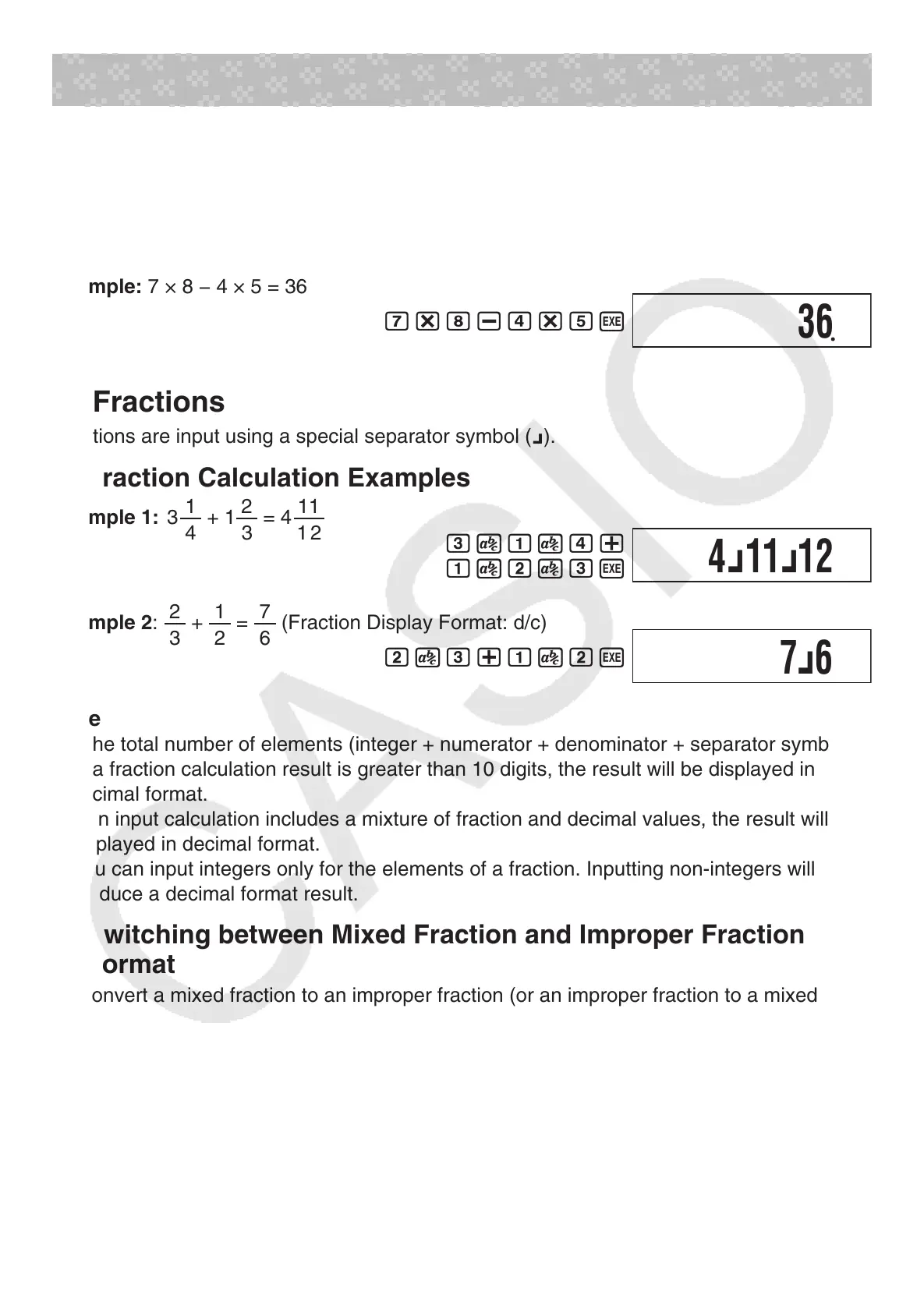
Example: 7 × 8 − 4 × 5 = 36
7*8-4*5
w
k
Fractions
Fractions are input using a special separator symbol (
{
).
A
Fraction Calculation Examples
Example 1: 3
1
4
+ 1
2
3
= 4
1 1
1 2
3
$
1
$
4+
1
$
2
$
3
w
Example 2:
2
3
+
1
2
=
7
6
(Fraction Display Format: d/c)
2
$
3+1
$
2
w
Note
• If the total number of elements (integer + numerator + denominator + separator symbols)
of a fraction calculation result is greater than 10 digits, the result will be displayed in
decimal format.
• If an input calculation includes a mixture of fraction and decimal values, the result will be
displayed in decimal format.
• You can input integers only for the elements of a fraction. Inputting non-integers will
produce a decimal format result.
A
Switching between Mixed Fraction and Improper Fraction
Format
To convert a mixed fraction to an improper fraction (or an improper fraction to a mixed
fraction), press
!$
(d/c).
A
Switching between Decimal and Fraction Format
Press
$
to toggle between decimal value and fraction display format.
Note
The calculator cannot switch from decimal to fraction format if the total number of fraction
elements (integer + numerator + denominator + separator symbols) is greater than 10 digits.
36
4
{
11
{
12
7
{
6



 To Next Page
 Loading...