E-21
• When executing a coordinate conversion function inside of a calculation expression, the
calculation is performed using the first value produced by the conversion (
r
-value or
x
-
value).
Example: Pol (
'
2,
'
2 ) + 5 = 2 + 5 = 7
k
Integration Calculation and Differential Calculation
A
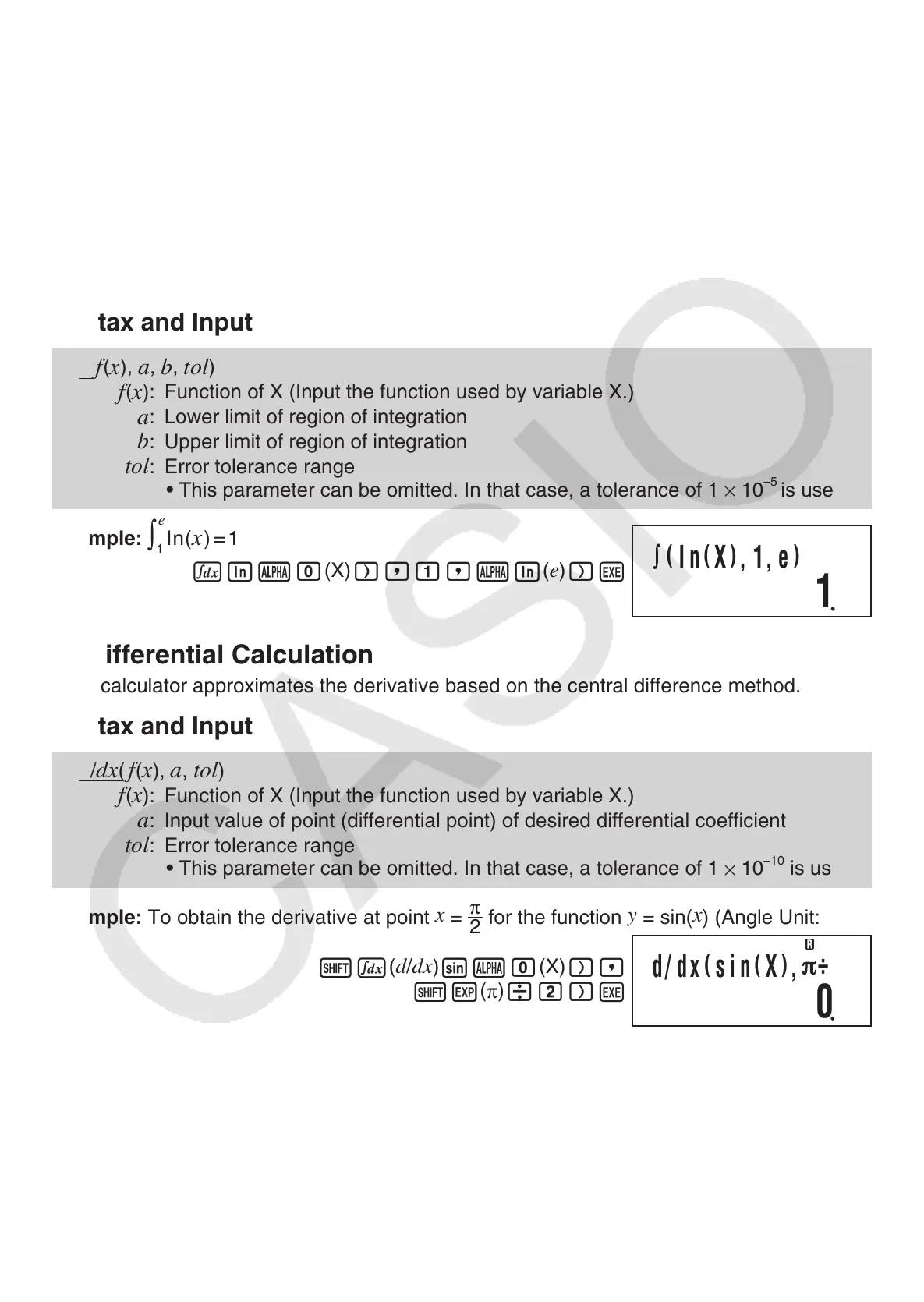
Integration Calculation
Your calculator performs integration using the Gauss-Kronrod method.
Syntax and Input
∫
(
f
(
x
),
a
,
b
,
tol
)
f
(
x
): Function of X (Input the function used by variable X.)
a
: Lower limit of region of integration
b
: Upper limit of region of integration
tol
: Error tolerance range
• This parameter can be omitted. In that case, a tolerance of 1
×
10
–5
is used.
Example:
In(x)=1
1
∫
e
f
Ia
0
(X)
),1,
aI
(
e
)
)
E
A
Differential Calculation
Your calculator approximates the derivative based on the central difference method.
Syntax and Input
d
/
dx
(
f
(
x
),
a
,
tol
)
f
(
x
): Function of X (Input the function used by variable X.)
a
: Input value of point (differential point) of desired differential coefficient
tol
: Error tolerance range
• This parameter can be omitted. In that case, a tolerance of 1
×
10
–10
is used.
Example: To obtain the derivative at point
x
=
π
2
for the function
y
= sin(
x
) (Angle Unit: Rad)
1
f
(
d
/
dx
)
sa
0
(X)
),
1e
(
π
)
/2)
E
A
Integration and Differential Calculation Precautions
• Integration and differential calculations can be performed in the COMP Mode and PRGM
Mode (run mode: COMP) only.
• The following cannot be used in
f
(
x
): Pol, Rec. The following cannot be used in
f
(
x
),
a
,
b
,
or
tol
:
∫
,
d/dx
.
• When using a trigonometric function in
f
(
x
), specify Rad as the angle unit.
(
In
(
X
)
,1,e
)
1
d/ dx
(
sin
(
X
)
,
÷
2
)
0



 To Next Page
 Loading...