E-40
Regression Coefficient b:
1
2
(S-VAR)
1
(VAR)
ee
2
(b)
E
Correlation Coefficient:
1
2
(S-VAR)
1
(VAR)
ee
3
(r)
E
2
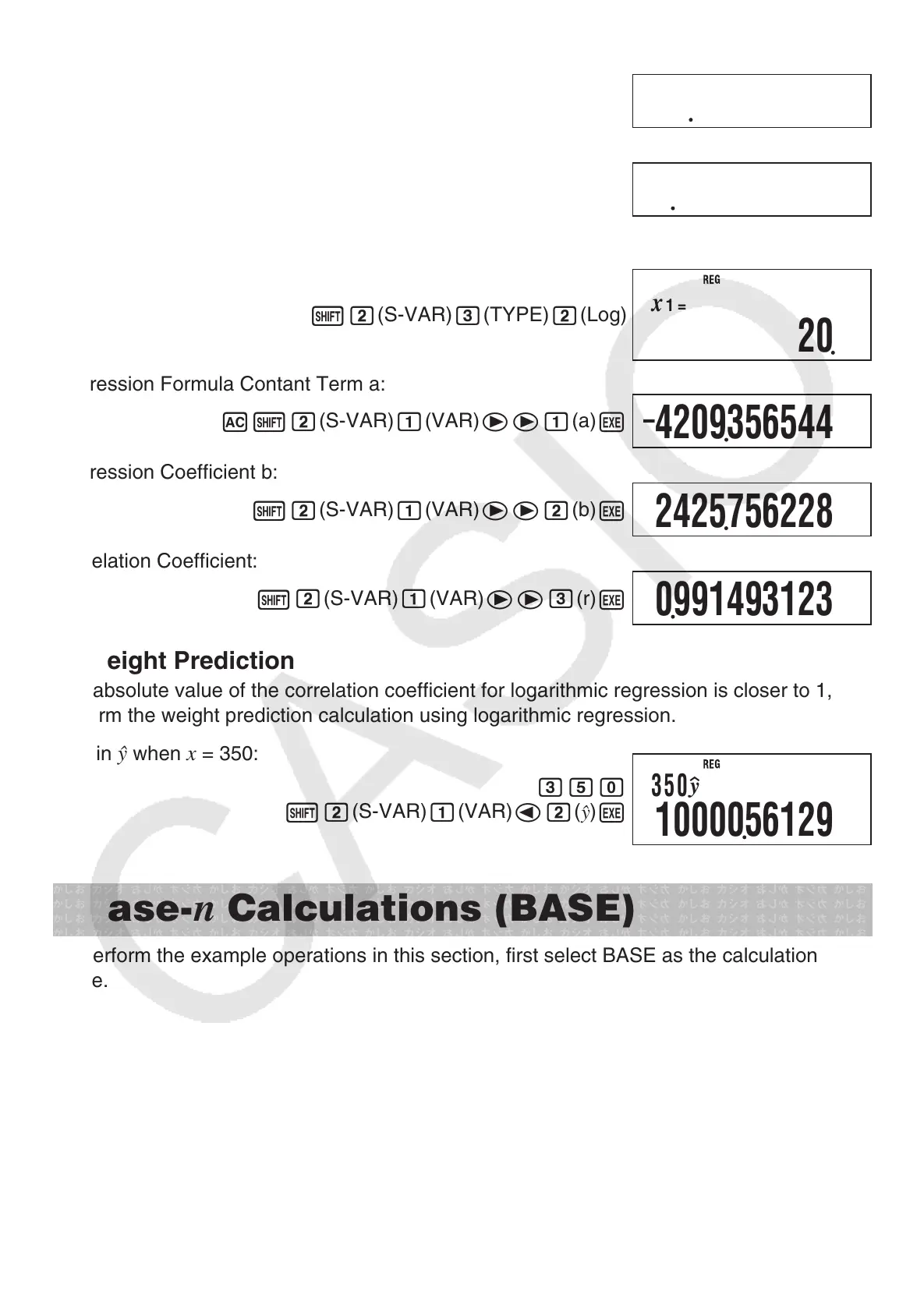
Logarithmic Regression
Select logarithmic regression:
1
2
(S-VAR)
3
(TYPE)
2
(Log)
Regression Formula Contant Term a:
A
1
2
(S-VAR)
1
(VAR)
ee
1
(a)
E
Regression Coefficient b:
1
2
(S-VAR)
1
(VAR)
ee
2
(b)
E
Correlation Coefficient:
1
2
(S-VAR)
1
(VAR)
ee
3
(r)
E
3
Weight Prediction
The absolute value of the correlation coefficient for logarithmic regression is closer to 1, so
perform the weight prediction calculation using logarithmic regression.
Obtain
when
x
= 350:
350
1
2
(S-VAR)
1
(VAR)
d
2
(
n
)
E
Base-
n
Calculations (BASE)
To perform the example operations in this section, first select BASE as the calculation
mode.
k
Performing Base-
n
Calculations
A
Specifying the Default Number Base
Use the following keys to select a default number base
x
(DEC) for decimal,
M
(HEX) for
hexadecimal,
l
(BIN) for binary, or
i
(OCT) for octal.
1887575758
0904793561
20
x
1
=
–
4209356544
2425756228
0991493123
350
y
1000056129



 To Next Page
 Loading...