E-50
Angle Unit Commands
Deg, Rad, Gra (COMP, CMPLX, SD, REG)
Syntax .. : Deg : ..
.. : Rad : ..
.. : Gra : ..
Operation
!,
(SETUP)
b
(Deg)
!,
(SETUP)
c
(Rad)
!,
(SETUP)
d
(Gra)
Function These commands specify the angle unit setting.
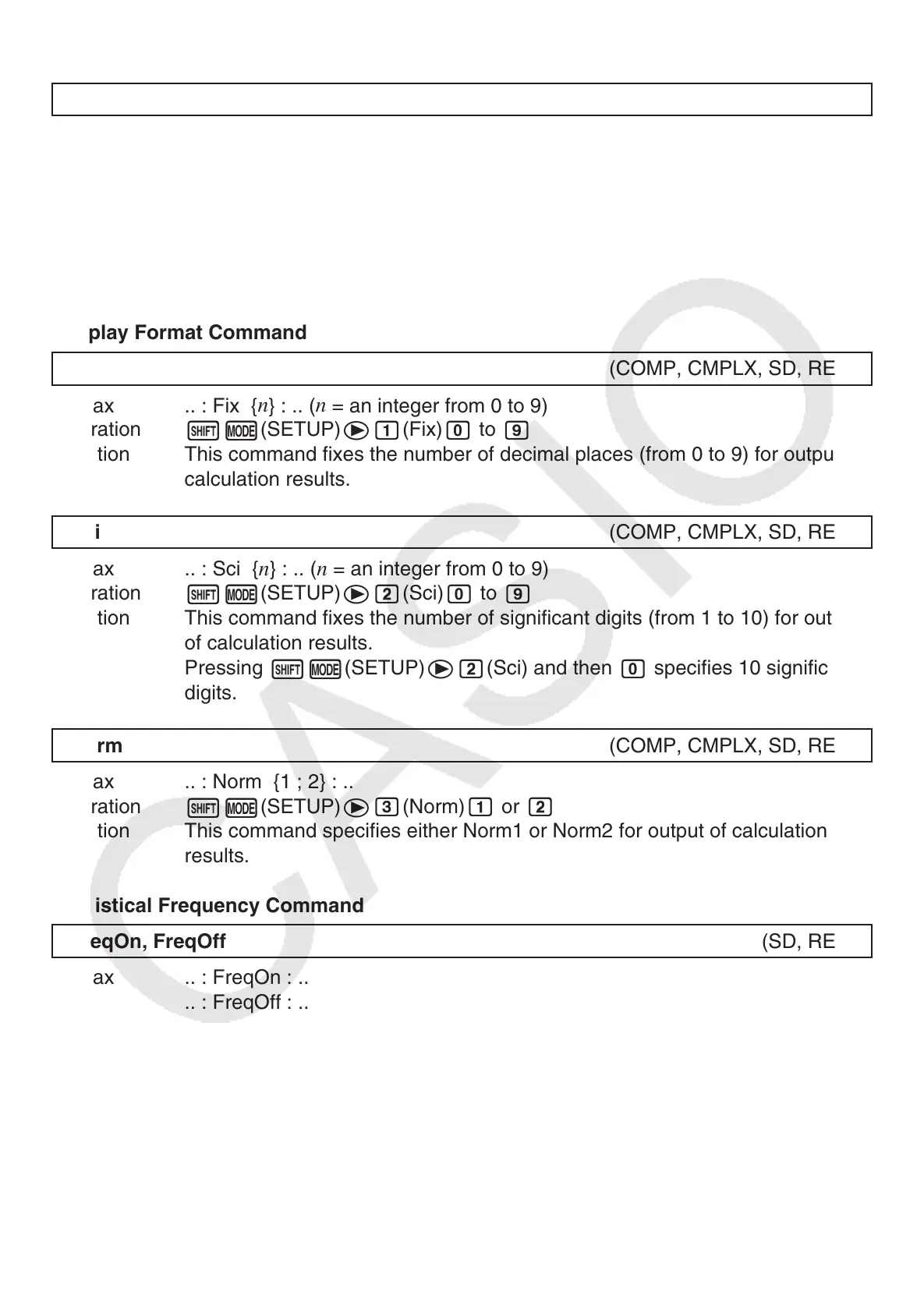
Display Format Command
Fix (COMP, CMPLX, SD, REG)
Syntax .. :
Fix {
n
} : .. (
n
= an integer from 0 to 9)
Operation
!,
(SETUP)
e
b
(Fix)
a
to
j
Function This command fixes the number of decimal places (from 0 to 9) for output of
calculation results.
Sci (COMP, CMPLX, SD, REG)
Syntax .. : Sci {
n
} : .. (
n
= an integer from 0 to 9)
Operation
!,
(SETUP)
e
c
(Sci)
a
to
j
Function This command fixes the number of significant digits (from 1 to 10) for output
of calculation results.
Pressing
!,
(SETUP)
e
c
(Sci) and then
a
specifies 10 significant
digits.
Norm (COMP, CMPLX, SD, REG)
Syntax .. : Norm {1 ; 2} : ..
Operation
!,
(SETUP)
e
d
(Norm)
b
or
c
Function This command specifies either Norm1 or Norm2 for output of calculation
results.
Statistical Frequency Command
FreqOn, FreqOff (SD, REG)
Syntax .. : FreqOn : ..
.. : FreqOff : ..
Operation
!,
(SETUP)
d
b
(FreqOn)
!,
(SETUP)
d
c
(FreqOff)
Function This command turns statistical frequency on (FreqOn) or off (FreqOff).



 To Next Page
 Loading...