EN-60
Configuring Digital Keyboard Settings
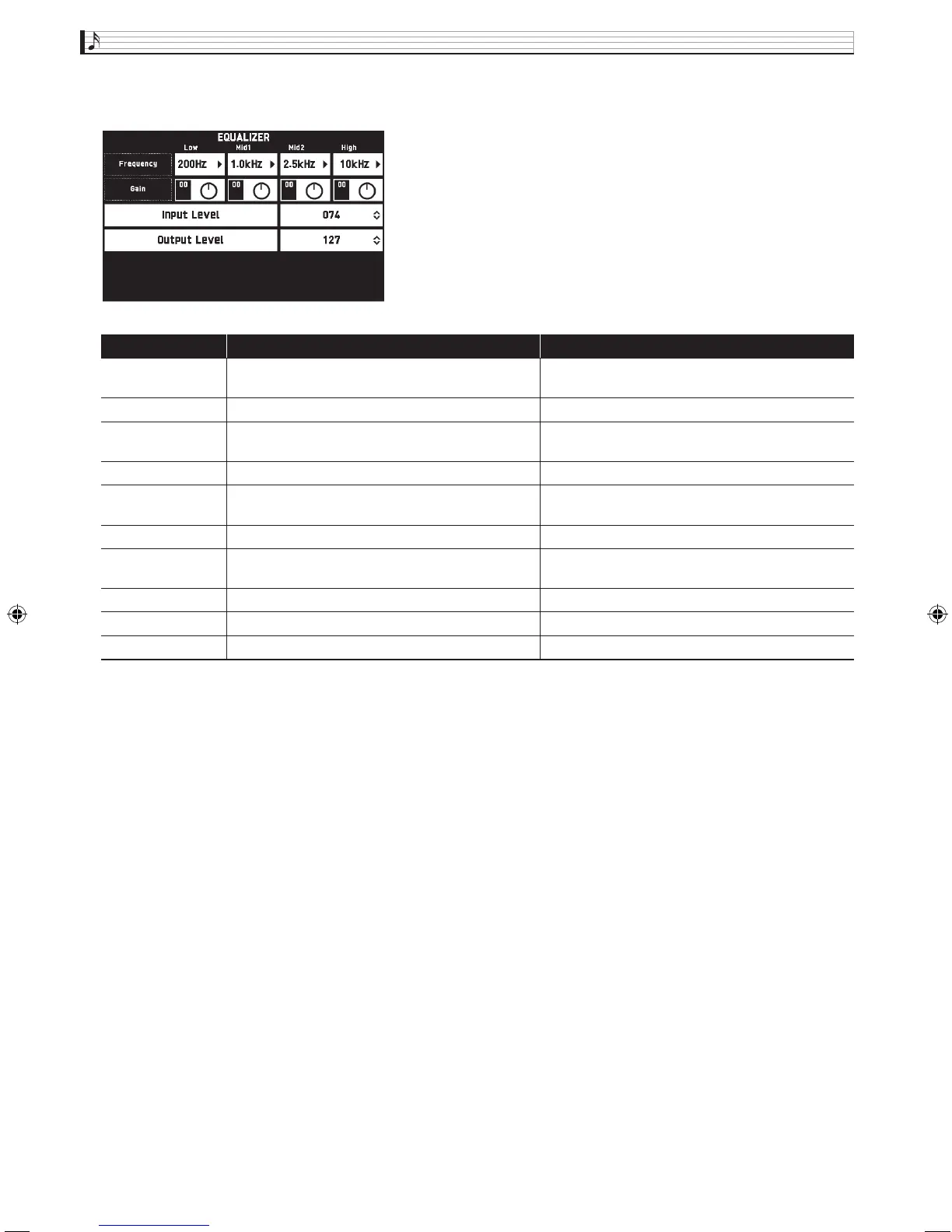
■ EQUALIZER Screen
Adjusts the frequency characteristics of all tones.
Item Description Setting
Low Frequency Selects the low-range cutoff frequency. 50, 63, 80, 100, 125, 160, 200, 250, 315, 400, 500, 630,
800 (Hz)
Low Gain Adjusts the low-range gain. –12 to 0 to +12
Mid1 Frequency Selects the low mid-range frequency. 100, 125, 160, 200, 250, 315, 400, 500, 630, 800, 1.0k,
1.3k, 1.6k, 2.0k, 2.5k, 3.2k, 4.0k, 5.0k, 6.3k, 8.0k (Hz)
Mid1 Gain Adjusts the low mid-range gain. –12 to 0 to +12
Mid2 Frequency Selects the middle high-range frequency. 100, 125, 160, 200, 250, 315, 400, 500, 630, 800, 1.0k,
1.3k, 1.6k, 2.0k, 2.5k, 3.2k, 4.0k, 5.0k, 6.3k, 8.0k (Hz)
Mid2 Gain Adjusts the middle high-range gain. –12 to 0 to +12
High Frequency Selects the high-range cutoff frequency. 2.0k, 2.5k, 3.2k, 4.0k, 5.0k, 6.0k, 8.0k, 10k, 13k,
16k (Hz)
High Gain Adjusts the high-range gain. –12 to 0 to +12
Input Level Adjusts the input level. 0 to 127
Output Level Adjusts the output level. 0 to 127
MZX300_X500-ES-1A.indd 62 2015/10/07 15:46:51


 To Next Page
 Loading...