Note : To enable E-Songbook server, see Chapter: Advance Functions (Video Control)
When connecting E-Songbook to JB-199 Premier unit
The connection for an E-Songbook to JB-199 Premier unit is illustrated below.
Enable E-Songbook Server on JB199 Premier unit. It will start CAVS RS II Server.
HOW TO CONNECT
31
Connect TP-Link router to JB199 Premier using LAN cable.
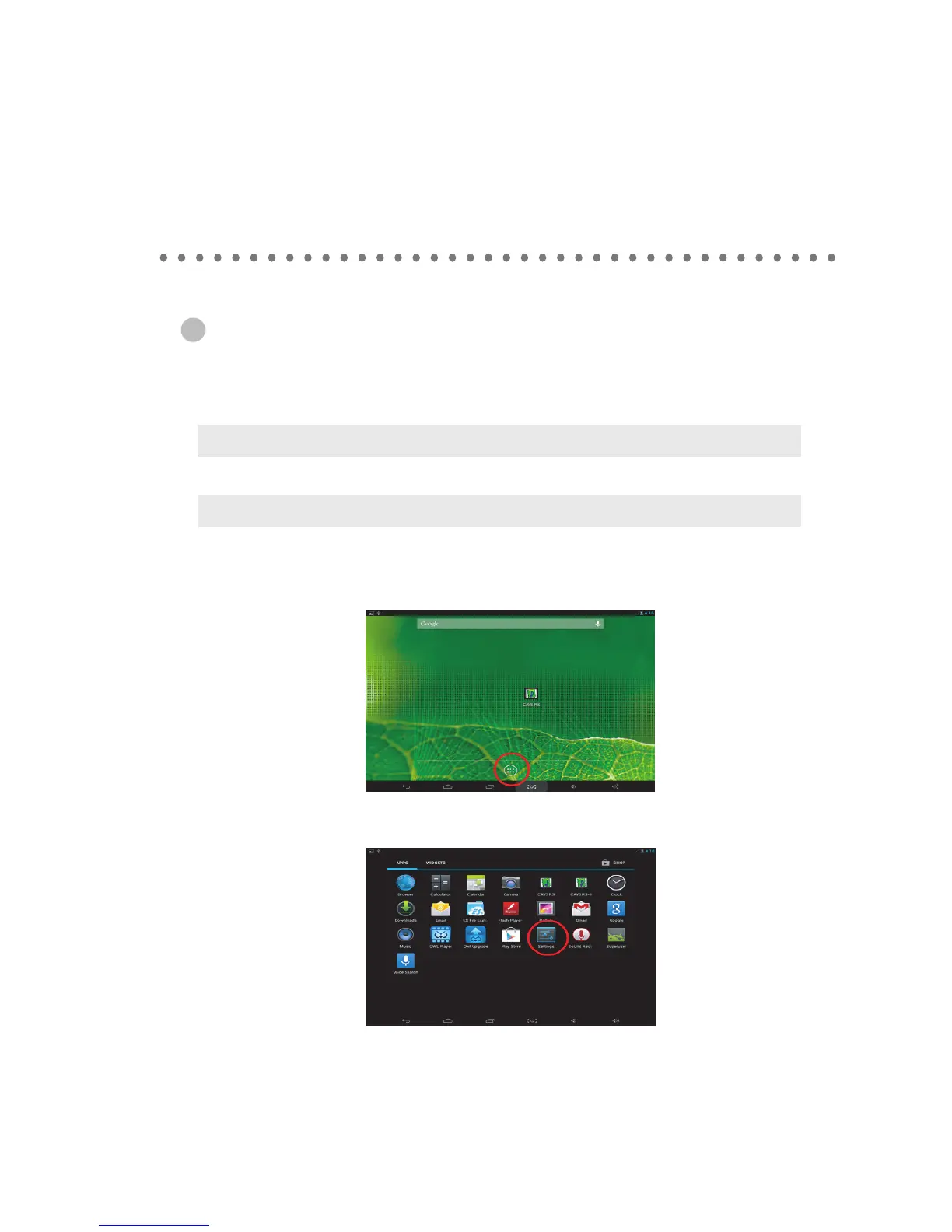
1. Turn on the E-Songbook by pressing the Power switch (usually for 2 - 3 seconds) of the tablet.
After the initial sequence, the main Home page will appear with the CAVS RS icon. Press the
Application window.
2. Tap on the Settings in the App window.
Note : To connect TP-LINK router refer previous section.



 To Next Page