HOW TO CONNECT
34
When connecting Android Smartphoens (Version 2.2 or Higher) and Android Tablets
(Version 2.2 or higher) to JB-199 Premier unit
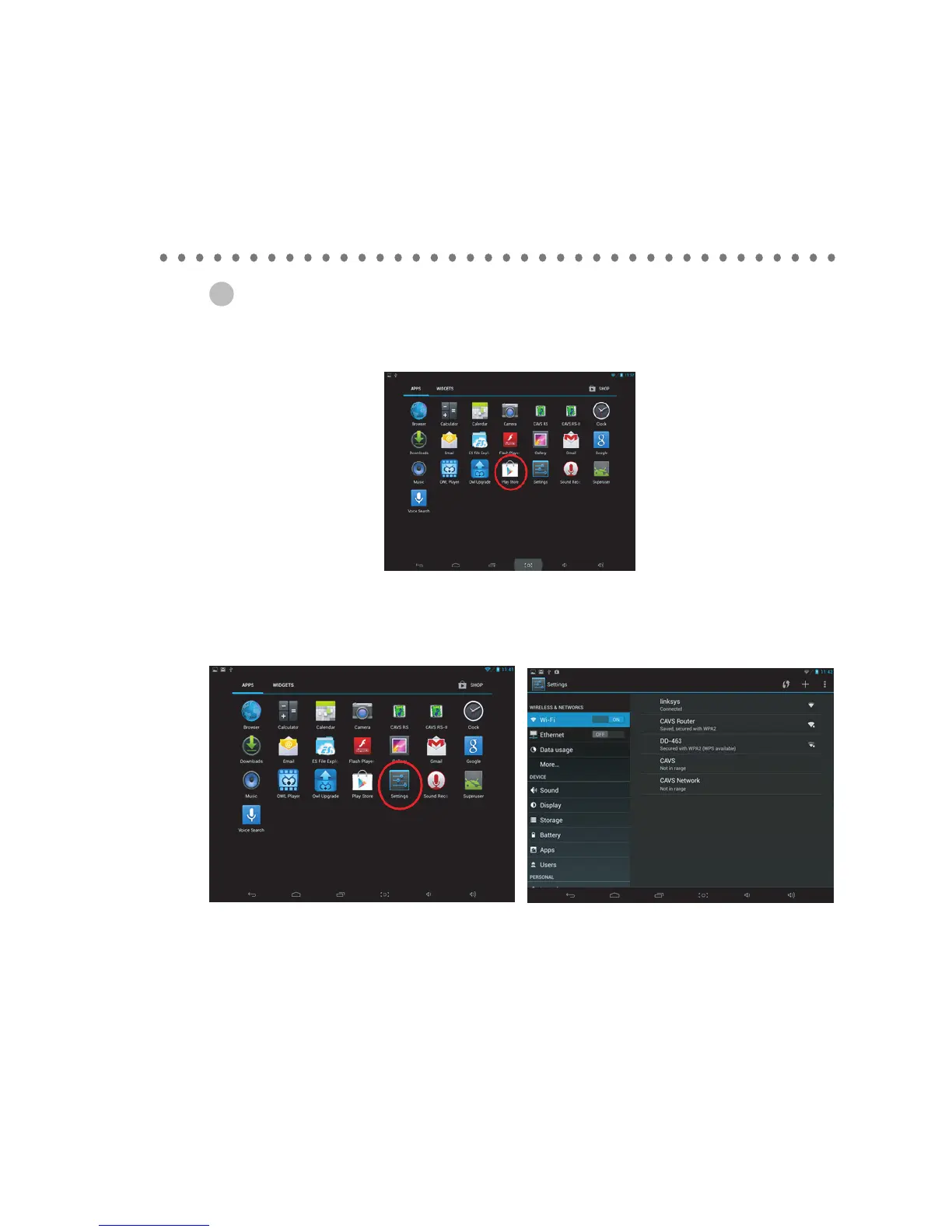
1. Go to the Android Play Store from the App page of your Android Smart-phone or tablet.
2. Download and install the CAVS RS II App into Android phone or tablet.
3.
Go to app page, select settings, select Wifi.
4. Next select the Wireless Router that is connected to the CAVS RS II Server program. In this example,
the router is CAVS Router. Tap on the CAVS Router and Press con
nect.
5. Return to the home window.



 To Next Page