HOW TO OPERATE
79
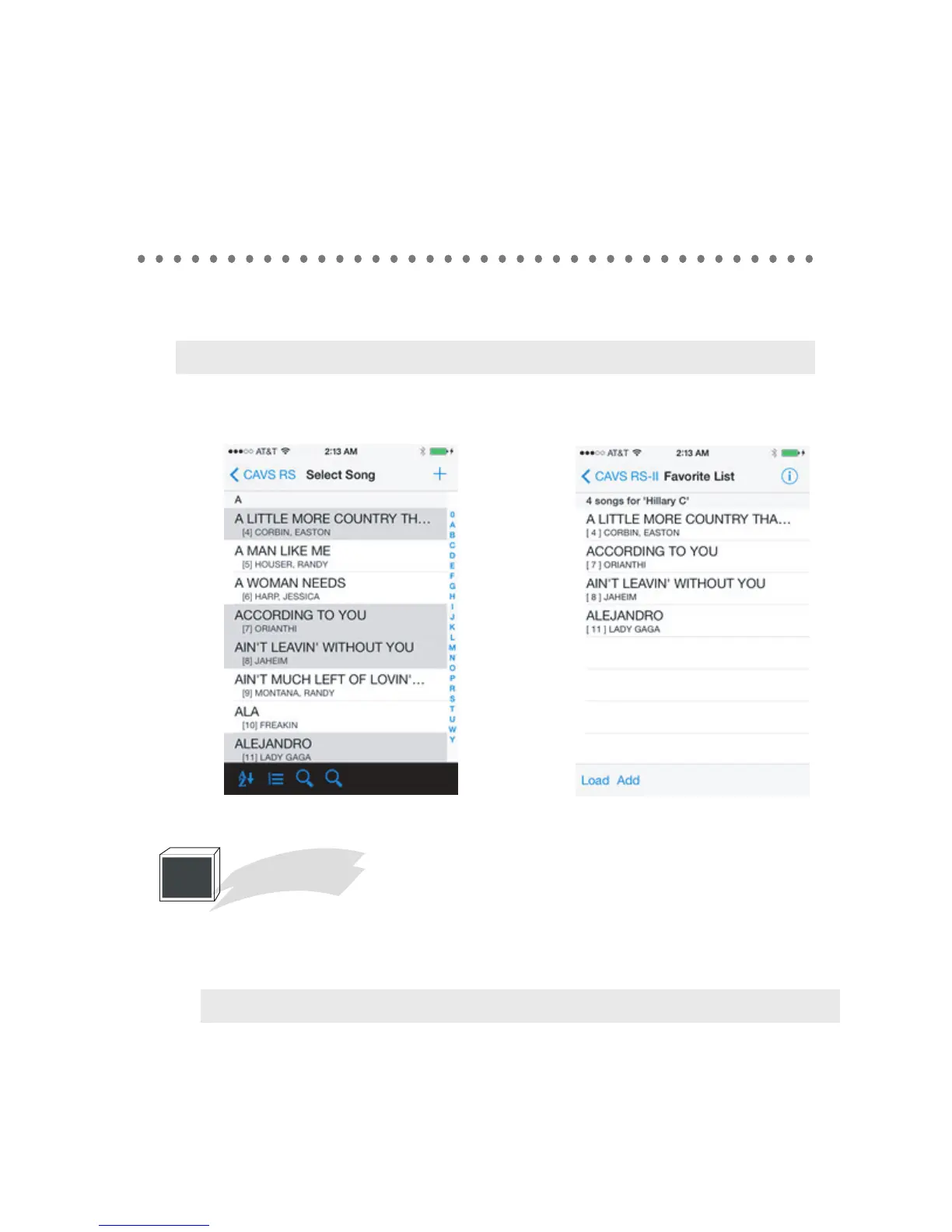
The new Favorite list will appear. To add songs, press Add, the song book will appear. You
can scroll, re-sort, or use the search to find the songs you want to add.
After selecting the songs, press + to add. The added songs will appear on the facorite list. From
the list, tap on any song.
Press the Reserve to reserve the song, press the delete to remove the song from the favorite list.
Contest Board
Tap on the contest board. The screen will show the menu for scoring. Select the score level
and press the confirm button to send.
Note : Your score will not be accepted until it is asked for by the CAVS RS II Server.
6
Note : You can add multiple songs.



 To Next Page