HOW TO OPERATE
82
5
5
You can scroll or move to any page of the song list using the yellow scroll bar on the right.
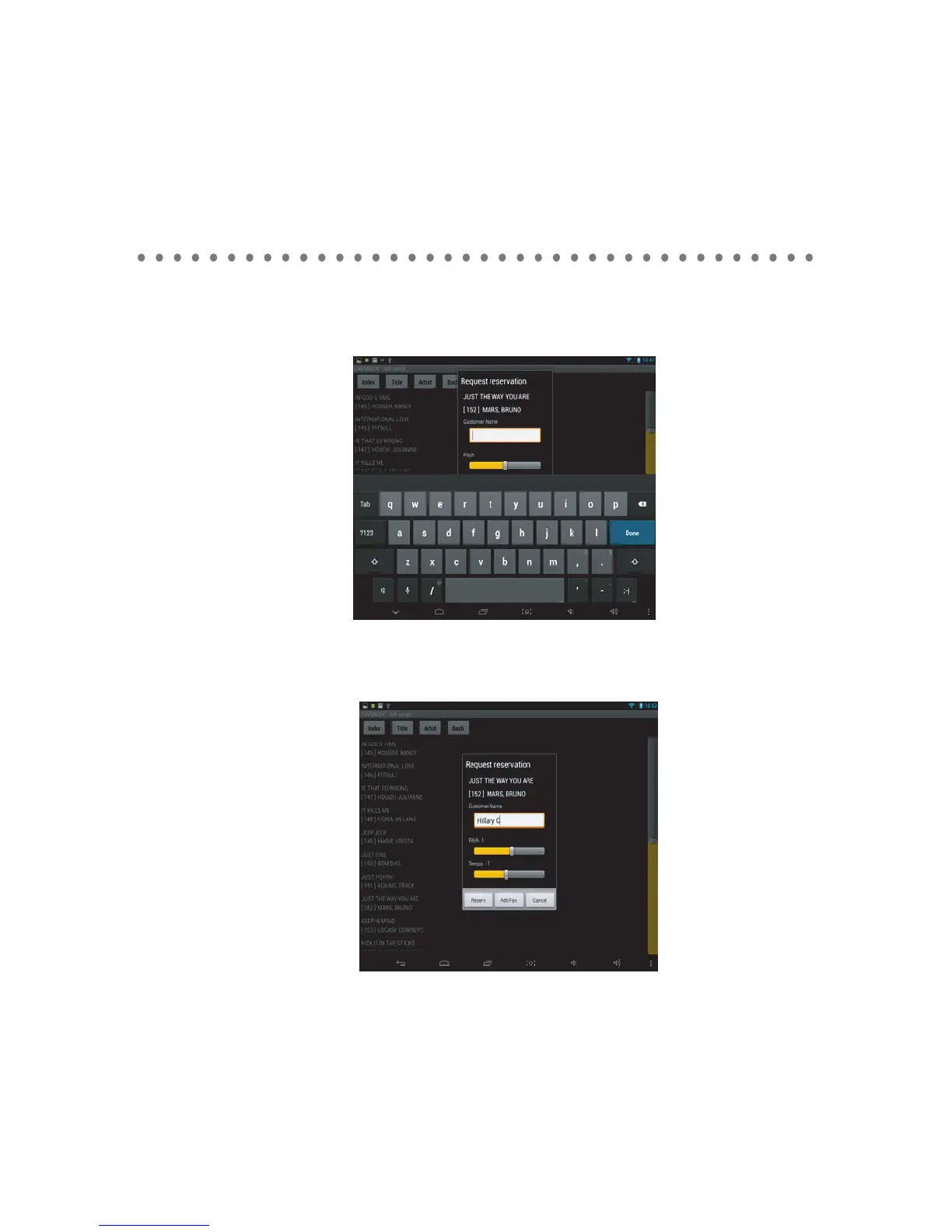
Tap on a song you wsh to select. Request reservation window will apear. Type in customer name
and press Done.
Set the pitch (key) and tempo levels. Press the reserve button to reserve the song, Add fav. button
to add the song to a favorite list, or cancel to return. If you wish to skip the customer name, pitch
and tempo controls, press the down arrow on the keyboard.
Press Add Fav. button, to add the song to the favorite list. Type the account name or create a new
account by inputting a new accounr name. Press the add button to add or cancel to return.



 To Next Page