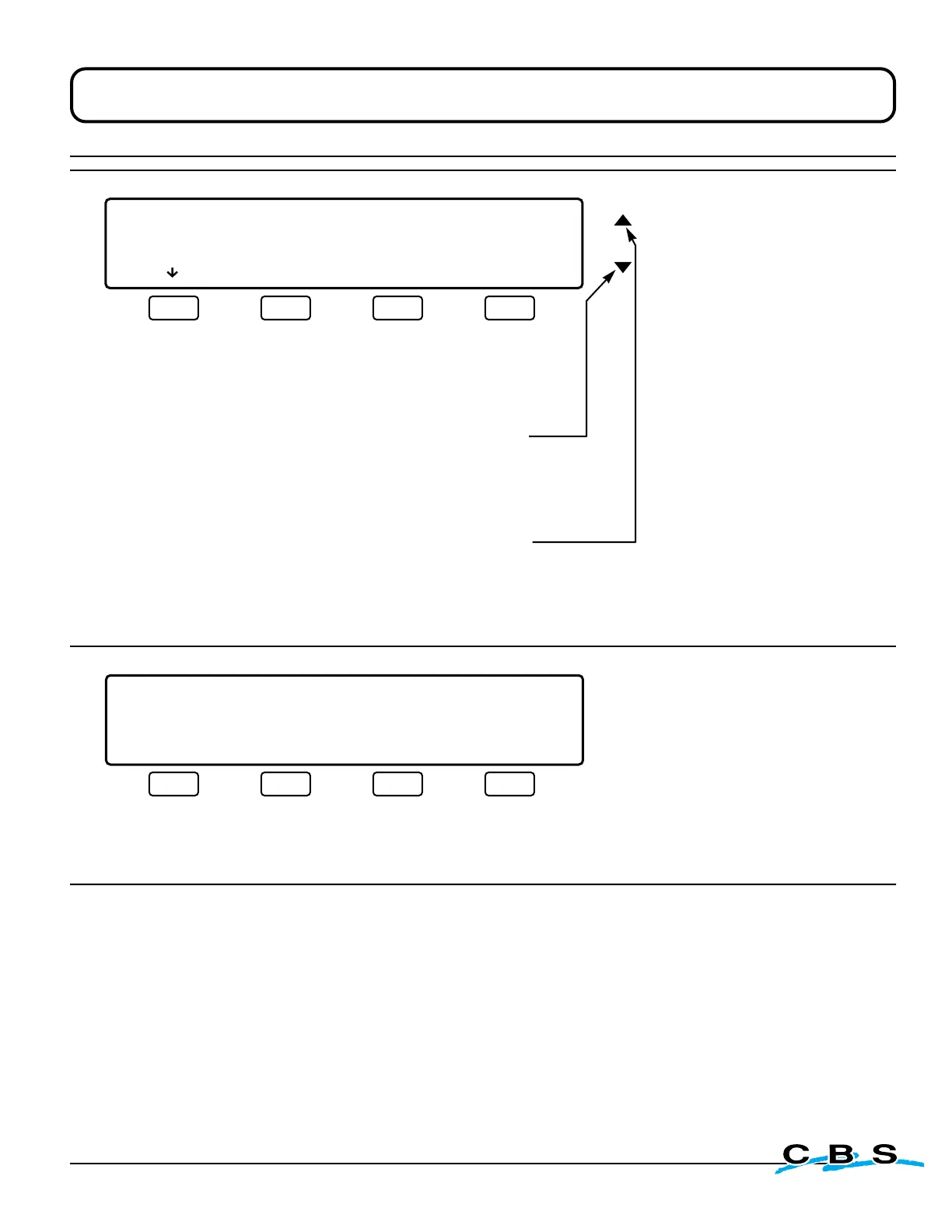
This display will appear
when "BEGIN" is selected
on display #41H.
This menu tests the function
of the overlay buttons.
Test each button by pressing
it, beginning with the far left.
The cursor should automatically
advance to the next position.
If a button isn't pushed
within 8 seconds the cursor
will move to the next position.
When all six buttons have been
tested or skipped, the screen will
advance to the final window
of the validation process.
First
Press this button to
test it's function
and proceed to the
next button
Second
Press this button
next to test it's
function and proceed
to the next button
Third
Press this button
next to test it's
function and proceed
to the next button
Fourth
Press this button
next to test it's
function and proceed
to the next button
Fifth
Press this button
next to test it's
function and proceed
to the next button
Sixth
Press this button
next to test it's
function and advance
to display # 41I
(next)
This display will appear when
the final test button is selected
on display #41H1, and when all
tests have been completed or
skipped.
Use this menu to print test
results if desired.
Press this button to
print test results and
return to display #6:
MAIN MENU 3.
(page 18)
Press this button to
return to display #6:
MAIN MENU 3.
(page 18)
www.custombiogenics.com


 To Next Page