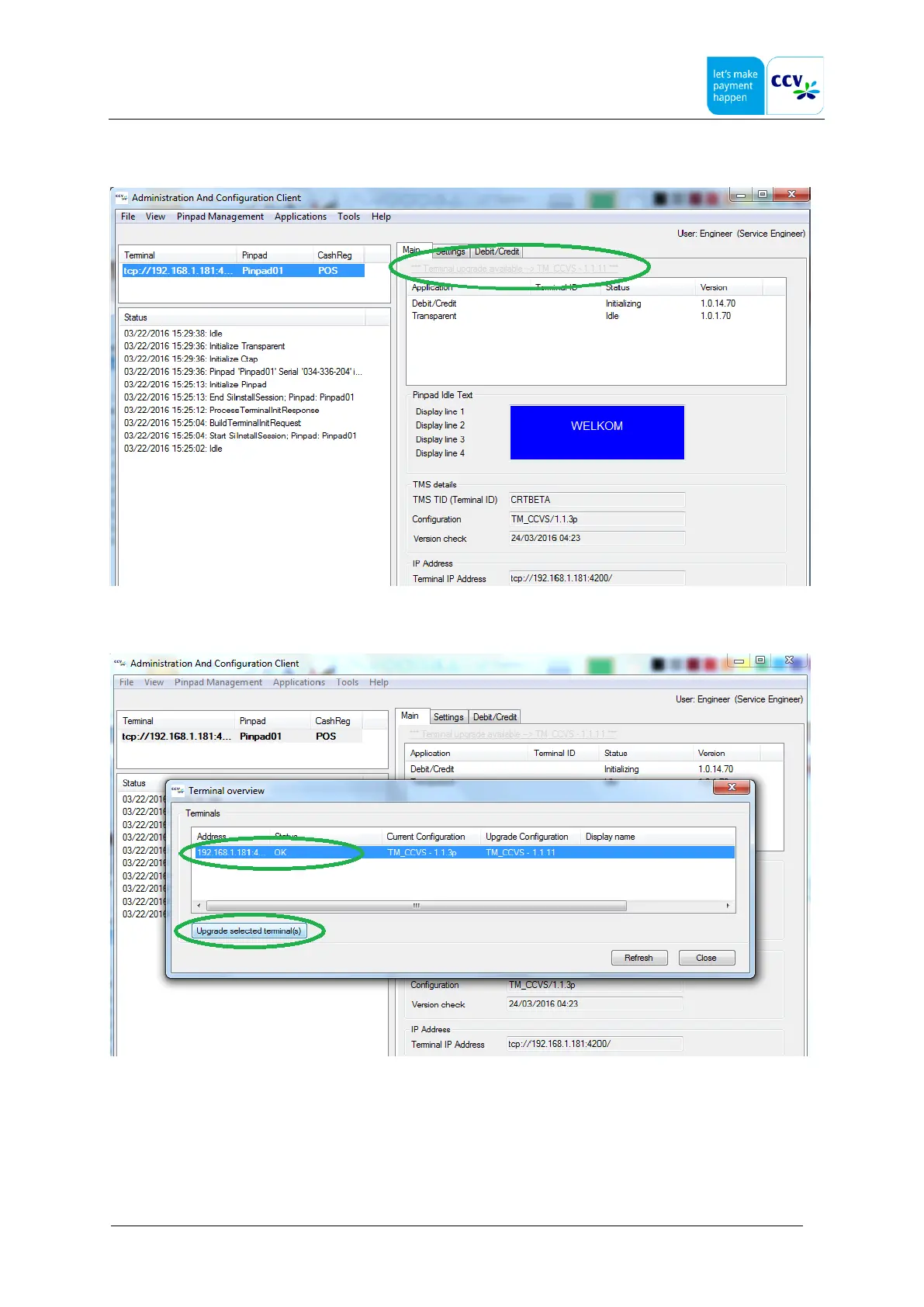
Click on this message:
Select the terminal and click on "Upgrade selected terminal(s)" If not, the upgrade will automatically executed in the next
maintenance window(22:00H-06:00H
The terminal will now reboot to start the software upgrade.
Note: several reboots will be executed. During this process it is not allowed to turn off the power.
Please close the AdminClient, because the connection AdminClient and terminal will be lost. The OPP-C60 will show
progress, like "Filesystem Update", "COR update", "SCR Update", etc. This process depending the differences will take
about 10- 40 minutes.
When the upgrade has finished, the terminal will be idle.The progress is visible in the display or through the LED on the
back of the terminal. (see section support)



 To Next Page