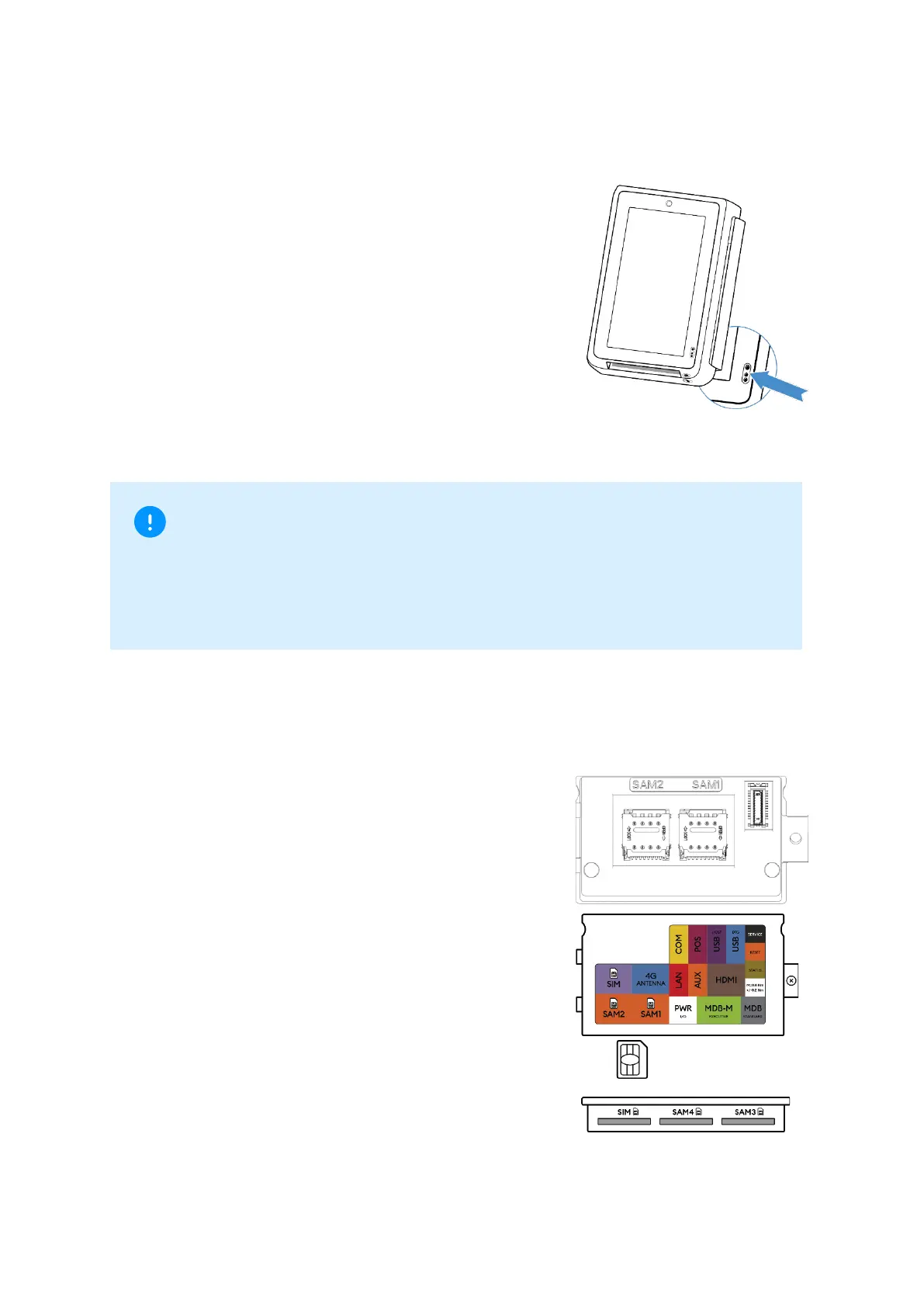
4.4 Status LED and proximity detector
CCV IM30 has a RGB status indicator LED
above the proximity detector. The operation of
the LED is software controlled. It can display a
light in red, green or blue.
The CCV IM30 has an optical proximity detector
located near the lower right side of its front face.
The proximity sensor detects objects at close
distance to sensor (range of 0cm to 8cm). It is
meant to perform function such as providing a
wakeup signal to the rest of the device when a
user is detected or calibrating backlight intensity
to fit the brightness of a given environment.
4.5 SAM/ SIM
Unscrew the SAM card module and then remove
it by prying at the notch set to its side. On the
main body of the CCV IM30, there are 2 micro-
SIM sized SAM card slots. Open the mount and
insert the card into the slot with the clipped
corner of the card to the upper right, then lock
the mount with the card inside.
On the SAM card module there is a micro-SIM
sized card slot. Insert the SIM card with the
clipped corner facing inwards and to the left.
To the right, there are two slots for two additional
SAM cards (see illustration: centre: SAM4, right:
SAM3).



 To Next Page