Home
CCV
Payment Terminal
IM30
Page 21 (RS232-A Port Configuration)
CCV IM30 - RS232-A Port Configuration
34 pages
Manual
Save Page as PDF
To Next Page
To Next Page
To Previous Page
To Previous Page
Loading...
Manual - CCV IM30
21
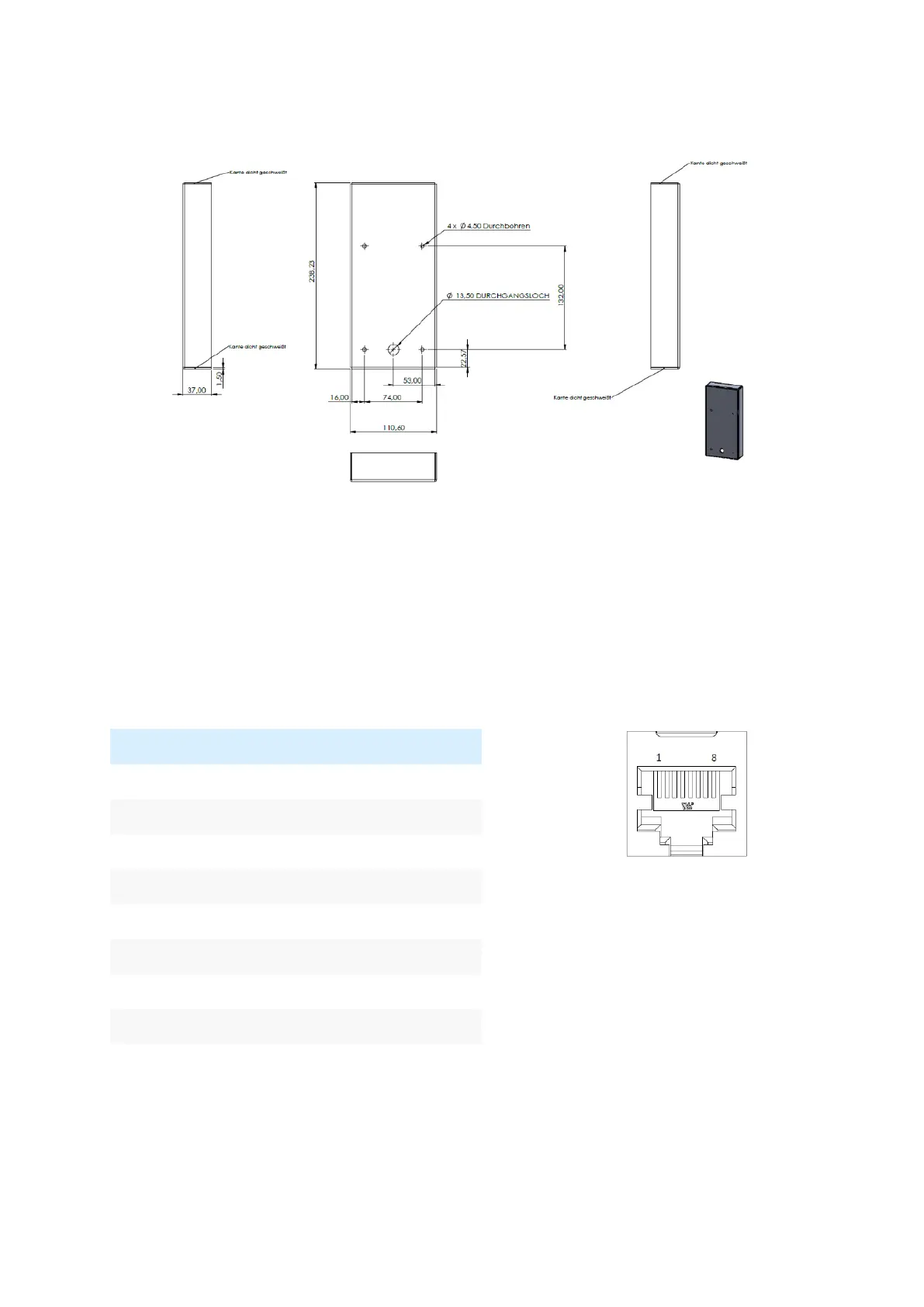
Picture of active protecti
on Metal shield:
6.4
RS232-A (cash r
egister)
RJ45
8-poles,
high
speed
interface
(default
115.2
kb
ps/
switchable
up
to
921.6
kbps
),
shielded,
hardware
handshake, max. cable le
ngth 100 cm.
signal
pin
POWER_IN
1
RX
2
TX
3
MDB_WAKE
4
RTS
5
CTS
6
GND
7
GND
8
20
22
Table of Contents
Main Page
Default Chapter
2
Table of Contents
2
1 Introduction
4
2 Safety and Usage
4
3 Contents
7
4 Product Description
8
Front View
8
Back View
9
Contactless Card Reader
9
Status LED and Proximity Detector
10
Sam/ Sim
10
Buttons
11
MDB Status LED
11
5 Installation
12
Installation Preparations
12
Installation Based on the Standard Cut-Out („Kiosk Cut-Out")
13
Installation Based on the EVA SDM Cut-Out
14
6 Connectors
15
Power/ Digital IO
15
Cable Feeding to Prevent Condensate Dripping into Device
19
Use in Environments with Heavy Condensation Conditions
20
RS232-A (Cash Register)
21
Rs232-B Com
22
Ethernet
22
MDB-Standard (MDB Slave)
23
MDB-H/ Executive/ I/Os (MDB Master)
23
MDB-Master
24
Executive
24
I/Os
24
Usb
26
Aux
27
Hdmi
27
Pos
27
7 Start-Up with Service App
28
8 Labels and Seals
29
Other manuals for CCV IM30
User Manual
23 pages
Related product manuals
CCV Edge IM15
30 pages
CCV VX 820 ITS
45 pages
CCV Base Next
60 pages
CCV Pad
48 pages
CCV Mobile A920
14 pages
CCV Fly A77
14 pages
CCV Pad Next
14 pages



 To Next Page