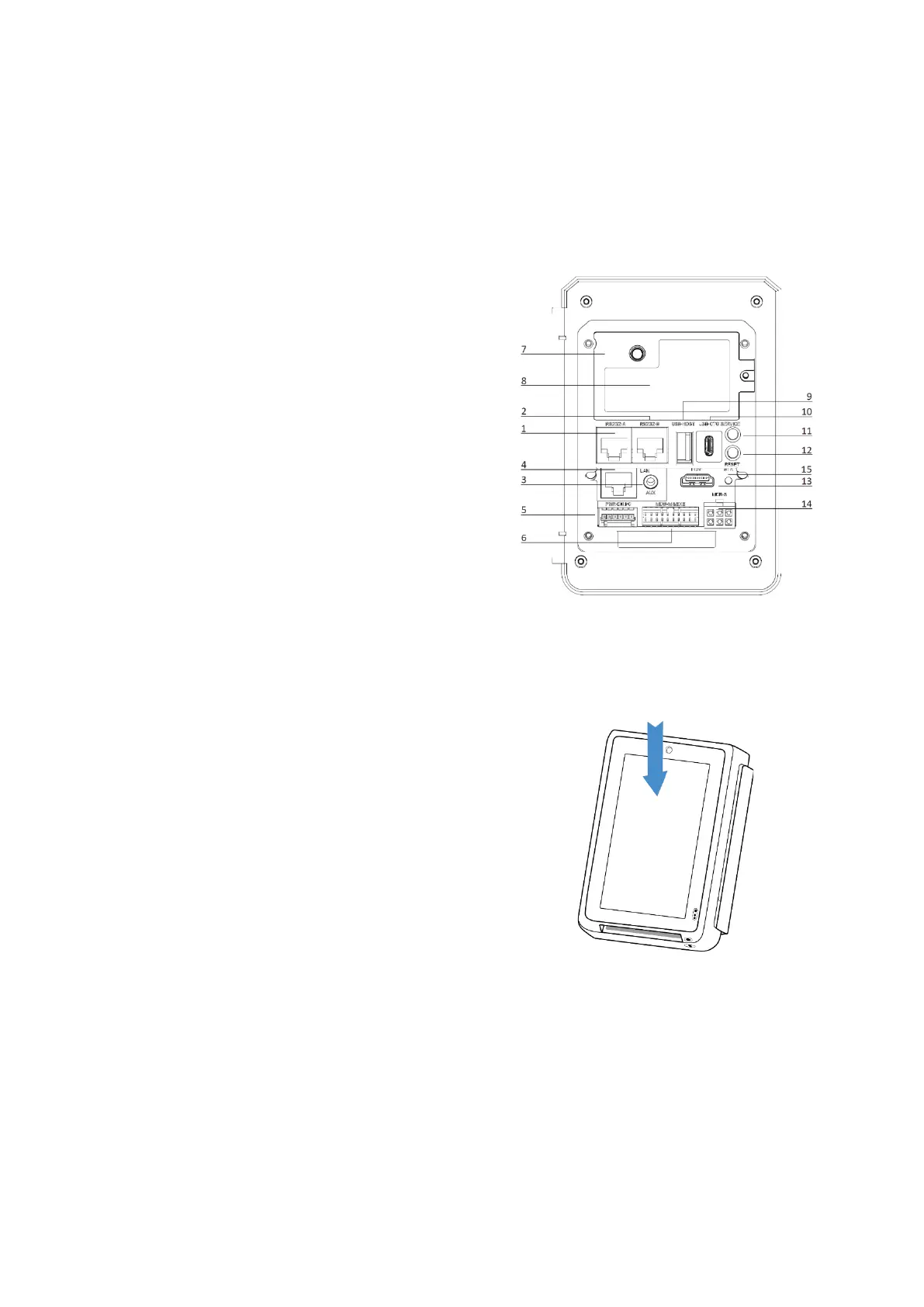
4.2 Back view
1 RS232-A (device, cash register)
2 RS232-B (host, external devices)
3 headphone jack (mic + speaker)
4 LAN port (10/100 Mbit)
5 digital I/O (power, 6pin WAGO connector)
6 executive/ MDB-H port (MDB Master)
7 connector for external 4G antenna
8 SAM/SIM card module
9 USB type A port (host)
10 USB type C port (OTG)
11 service button
12 reset button
13 HDMI port
14 MDB Standard port (MDB slave)
15 MDB status LED
4.3 Contactless card reader
The CCV IM30 has a contactless card reader
with an RF antenna located on its front face. The
read area is the upper half of the touchscreen.
Use contactless card from a distance of 0 to 4
cm. For best results, place the card as close to
the screen as possible and centre it within the
area marked in the right figure.



 To Next Page