61
RESET PROGRAM (0011)
RESET PROCESS DATA MIG/MAG SYNERGIC
DELETE ALL JOBS
COUNTER ALARMS RESET
TOTAL RESET
EXECUTE DATA PROCESS RESET?
RESET PROGRAM (0011)
RESET PROCESS DATA MIG/MAG SYNERGIC
DELETE ALL JOBS
COUNTER ALARMS RESET
TOTAL RESET
ARE YOU SURE?
RESET PROGRAM (0011)
RESET PROCESS DATA MIG/MAG SYNERGIC
DELETE ALL JOBS
COUNTER ALARMS RESET
TOTAL RESET
DATA PROCESS RESET DONE
All the functions included in this menu can be used as
follows:
• Choose the function (e.g. RESET PROCESS DATA) that
you intend to use by rotating the ENCODER K
NOB - SX.
• EXECUTE PROCESS DATA RESETTING by pushing the
DX K
EY.
• PROCEED by finalising the reset by pushing the SX K
EY or
cancel the operation by pushing the DX K
EY.
To exit the FACTORY RESET Menu and go back to the SETUP Menu:
• Push the MENU K
EY.
INFO SETUP Menu
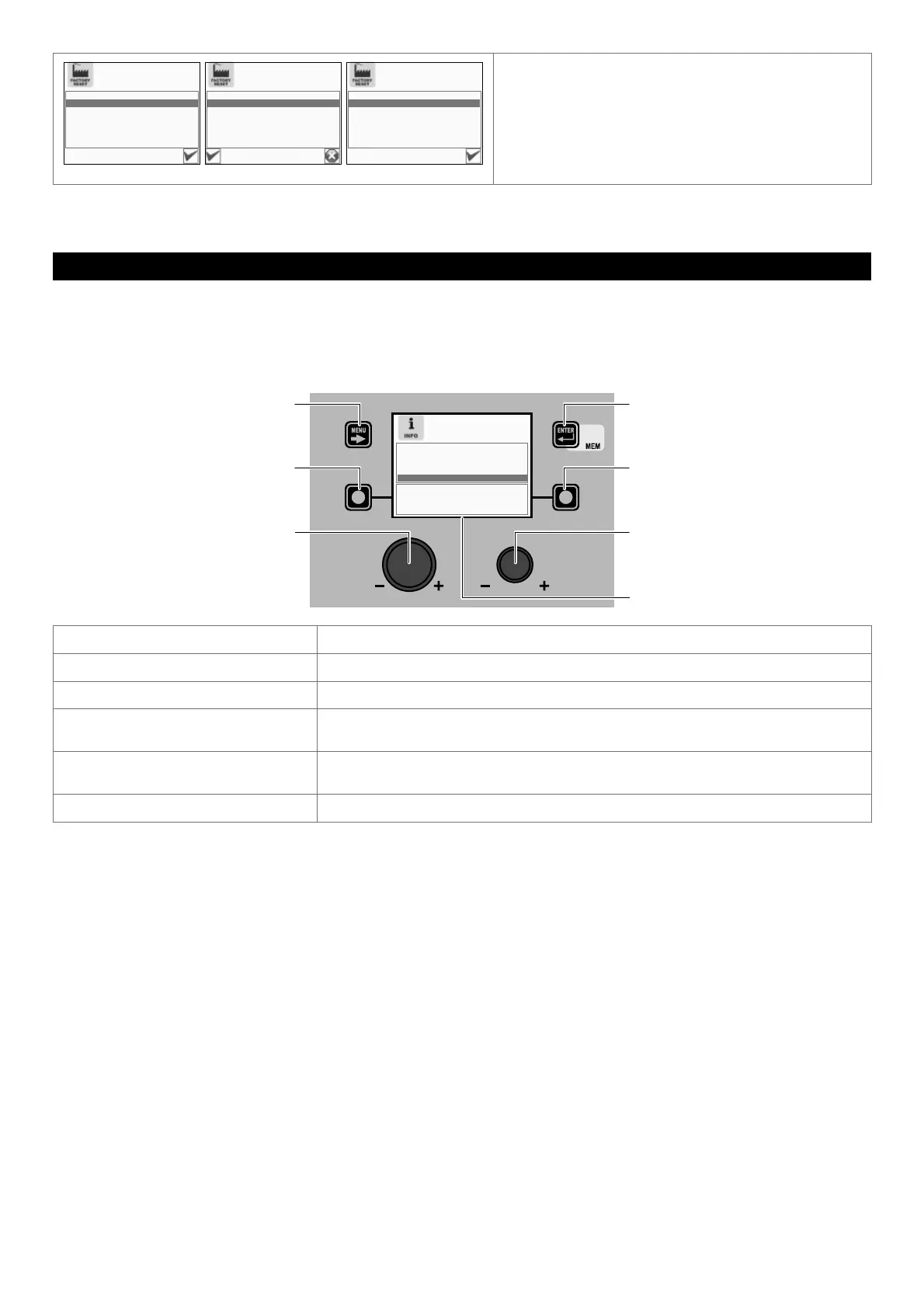
The purpose of this menu is to allow the operator to know what version of the software has been loaded into each component
that is part of the welding plant.
To access the INFO Menu from the SETUP Menu:
• Turn the ENCODER K
NOB - SX to select the desired icon.
• Push the ENTER/MEM K
EY.
MENU KEY ENTER/MEM KEY
ENCODER KNOB - SX ENCODER KNOB - DX
VISION S
CREEN
SX KEY DX KEY
POWER SOURCE SW. VERS.
WIRE FEEDER SOFTWARE VER.
DIGITORCH SW. VERS.
ROBOT INTERFACE SW. VERS.
S/N
12345678-12345678-1234-1234
Software Description
POWER SOURCE SW. VERS. Indicates the version of the software loaded into the welding machine.
WIRE FEEDER SOFTWARE VERS. Indicates the version of the software loaded into the wire feeder (if fitted).
DIGITORCH SW. VERS. Indicates the version of the software loaded into the DIGITORCH torch (if fitted and
connected).
ROBOT INTERFACE SW. VERS. Indicates the version of the software loaded into the robot interface (if fitted and
connected).
S/N Indicates the serial number of the microprocessor on the digital interface circuit board.
The contents of thus menu are for information only, the operator cannot change anything they can only read the information con-
tained by scrolling the various options available in the menu by rotating the ENCODER K
NOB - SX.
To exit the INFO Menu and go back to the SETUP Menu:
• Push the MENU K
EY.










 To Next Page