EasyManua.ls Logo

CEA DIGITECH vision PULSE 3000 - User Manual

Default Icon
100 pages
Print Icon
To Next Page IconTo Next Page
Loading...
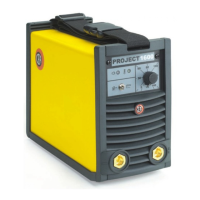
DIGITECH vision PULSE
3300 - 4000 - 5000
1020H991F-EN-12/2013
CEA COSTRUZIONI ELETTROMECCANICHE ANNETTONI S.p.A.
C.so E. Filiberto, 27 - 23900 Lecco - Italy
Tel. ++39.0341.22322 - Fax ++39.0341.422646
Cas. Post. (P.O.BOX) 205
E-mail: cea@ceaweld.com - web: www.ceaweld.com
EN
Operators manual
READ
CAREFULLY
Question and Answer IconNeed help?

Do you have a question about the CEA DIGITECH vision PULSE 3000 and is the answer not in the manual?

Summary

Introduction and System Overview

Product Description and Features

Details the DIGITECH vision PULSE series' capabilities and design.

Technical Data

Provides specifications and operational constraints.

Installation and Connections

Lifting, Packaging, and Electrical Connection

Covers handling, unpacking, and power hookup.

Usage Norms

Guidelines for proper and safe operation.

Welding Processes and Modes

Specific Welding Modes

Details on Spot, Interval, Aluminium, and MMA welding.

TIG Welding with Lift

Explains the TIG welding process using Lift ignition.

Machine Control and Operation

Control Panel Overview

Explanation of DH and HT4 control panels.

Welding Mode Selection

How to choose different welding modes.

Pre-Setting Parameters

How to adjust parameters before welding.

CEA DIGITECH vision PULSE 3000 Specifications

General IconGeneral
BrandCEA
ModelDIGITECH vision PULSE 3000
CategoryWelding System
LanguageEnglish

Related product manuals