ENGLISH
22
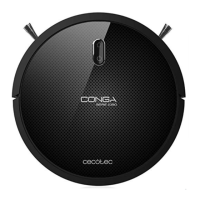
1. Install both side brushes to the slots located on
the bottom part of the robot. Press until it clicks to
make sure they are properly fixed..
2. Place the robot on the charging base and make
sure the charging terminals on the robot match
with those of the charging base. Once the robot is
properly, emitirá un pitido y el botón button will
turn on, indicating that the robot is ready for use.
4. OPERATION
Start cleaning
• Press the power button on the robot to start up the robot.
• Press the power button on the robot again or the auto button on the remote
control to start cleaning.
WARNING: if the charging base is not accessible, the robot will not be able to return to its char-
ging position. In that case, once the robot has stopped, take it manually to the charging base.
Pause
• Press the power button on the robot or on the remote control to pause the cleaning
process.
• Press the power button on the robot or on the remote control to resume the cleaning
process.
• Press back-home button on the robot or on the remote control to send the robot to the
charging base.
Turn off
• Long-press the button to turn the device off.
• WARNING: The robot includes a power switch ON/OFF in the centre of the product’s
main body. As a safety measure, if the switch is on OFF, the initial default parameters
will be set. If we want the robot to operate in time-scheduling mode, the switch must be
set at ON, if not, it will have to be scheduled again from the remote control.
05110_Conga 1090 Excelsior_Manual_GC_DS.indd 22 27/6/18 21:01









 To Next Page