9
d
g
k
d
k
EN
OPERATOR’S MANUAL
3. OPERATION
3.1. SWITCH-ON / SWITCH-OFF
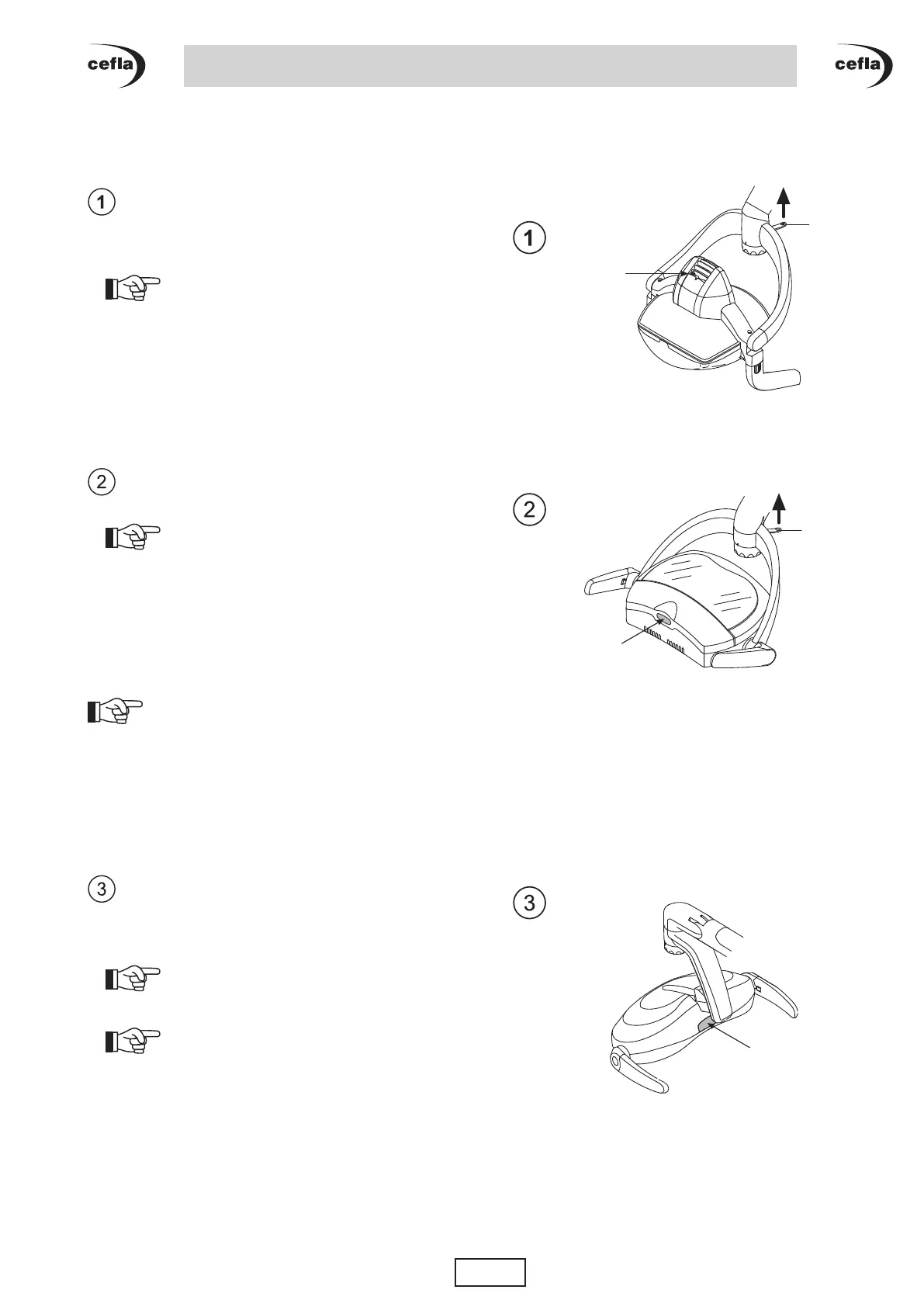
VENUS PLUS, VENUS PLUS CL version lights:
• To turn light on, move switch (d) up.
The LED (g) located at the rear of the optical unit
indicates whether the light is powered.
NOTE for CL version: the light is powered
by the main switch mounted at the time of installation.
• Toturnlighto,moveswitch(d) up again.
VENUS PLUS -L version, VENUS PLUS CL -L
version lights:
• To turn light on, move switch (d) up.
NOTE for CL -L version: the light is
powered by the main switch mounted at the time of
installation.
• Toturnlighto,moveswitch(d) up again.
Lights with NO TOUCH sensor.
You can also turn the light on and off by rapidly
sweeping your hand in the sensitivity eld (5cm) of
the sensor (k).
NOTE: if the light does not turn on or o when
sweeping your hand rapidly across the sensor, sweep
it across again more slowly.
VENUS PLUS MCT version, VENUS PLUS CL
MCT version lights:
•Youcan also turn the light on and o by rapidly
sweepingyourhandinthesensitivityeld(5cm)of
the sensor (k).
NOTE: if the light does not turn on or o
when sweeping your hand rapidly across the sensor,
sweep it across again more slowly.
NOTE for CL MCT version: the light is
powered by the main switch mounted at the time of
installation.



 To Next Page