INSTRUCTION MANUAL
CELESTRON ORIGIN | 31
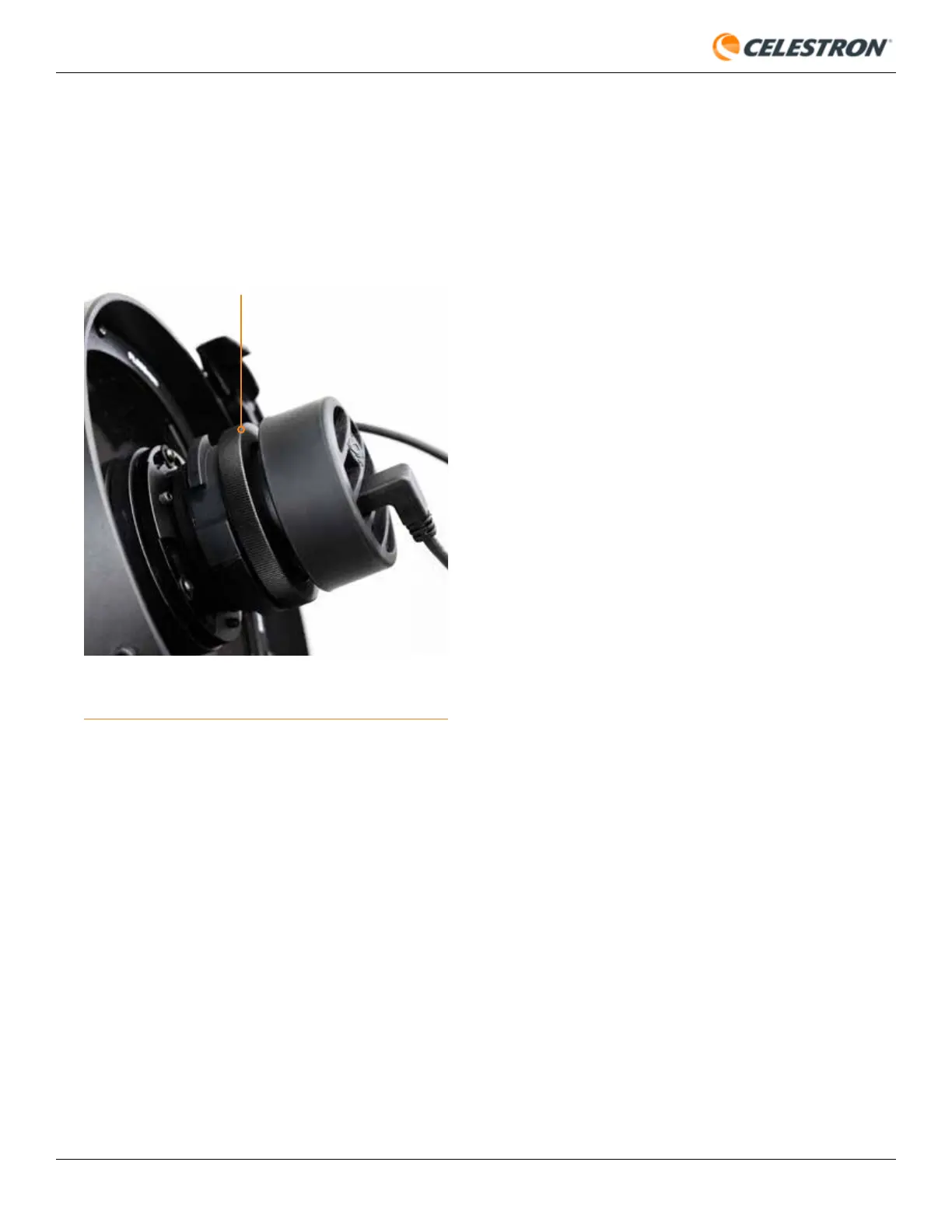
FIG 30: If you wish to rotate the camera orientation, first loosen the camera
lock ring.
CAMERA LOCK RING
Dark Frames
Here, you can take new dark frames for Origin. Generally, you
won’t need to capture new dark frames; you can use the ones
captured at the factory. To take a new dark frame, first place the
lens cap on Origin. Set the Dark Frame ISO and Dark Frame
Exposure to match what you will use for imaging (usually ISO
200 Exp 10s), then press “Recapture Dark Frames.”
Logs
This is where you can download logs for troubleshooting
purposes.
• To rotate the camera, loosen the lock ring behind the camera
(Figure 30), rotate the camera to the desired orientation, and
retighten the lock ring.









 To Next Page