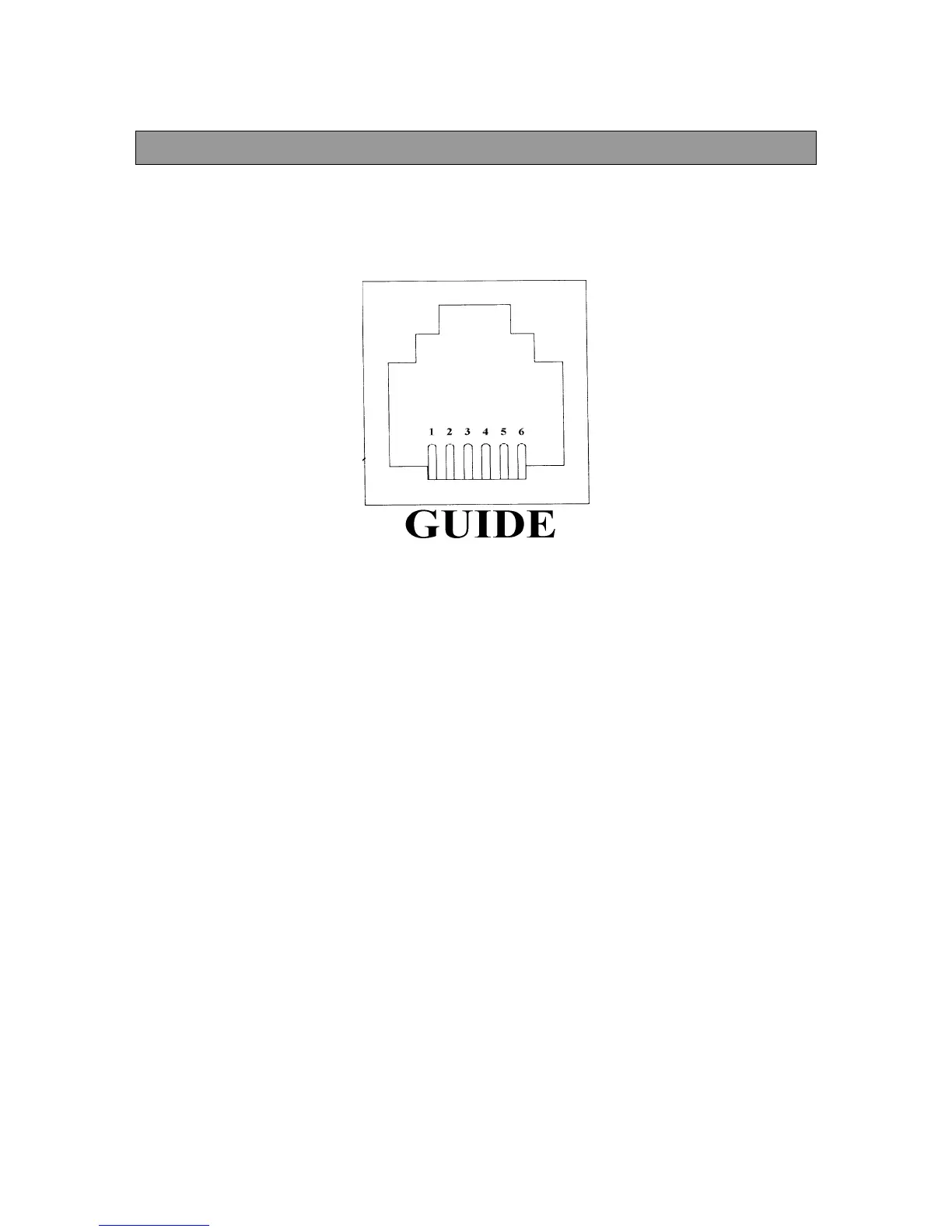
Appendix D - Autoguide Pin Out
105
APPENDIX D - CCD AUTOGUIDE PIN OUT
For long exposure astrophotography, you can use an auto guider to guide the exposure for you. The
telescope should be on the optional wedge and polar aligned. Here is the pin layout for the jack on the
drive base labeled GUIDE. Below is a diagram of the jack and pertinent information needed to attach a
CCD autoguider.
Label Direction Corresponding Button
1 West Right
2SouthUp
3NorthDown
4 East Left
5 Common -
6Not Used-
All the pins are normally open. To get the telescope to guide at photo rate in any particular direction, the
autoguider must close the pin that coincides with the direction you need to guide with the common pin. For
example, if you need the telescope to guide North, the guider must close the connection between pin 3
(North) and pin 5 (common). If you need the telescope to guide East, the guider must close the connection
between pin 4 (North) and 5 (common). Refer to the auto guider’s manual to actually connect it to the
Ultima 2000.











 To Next Page