14
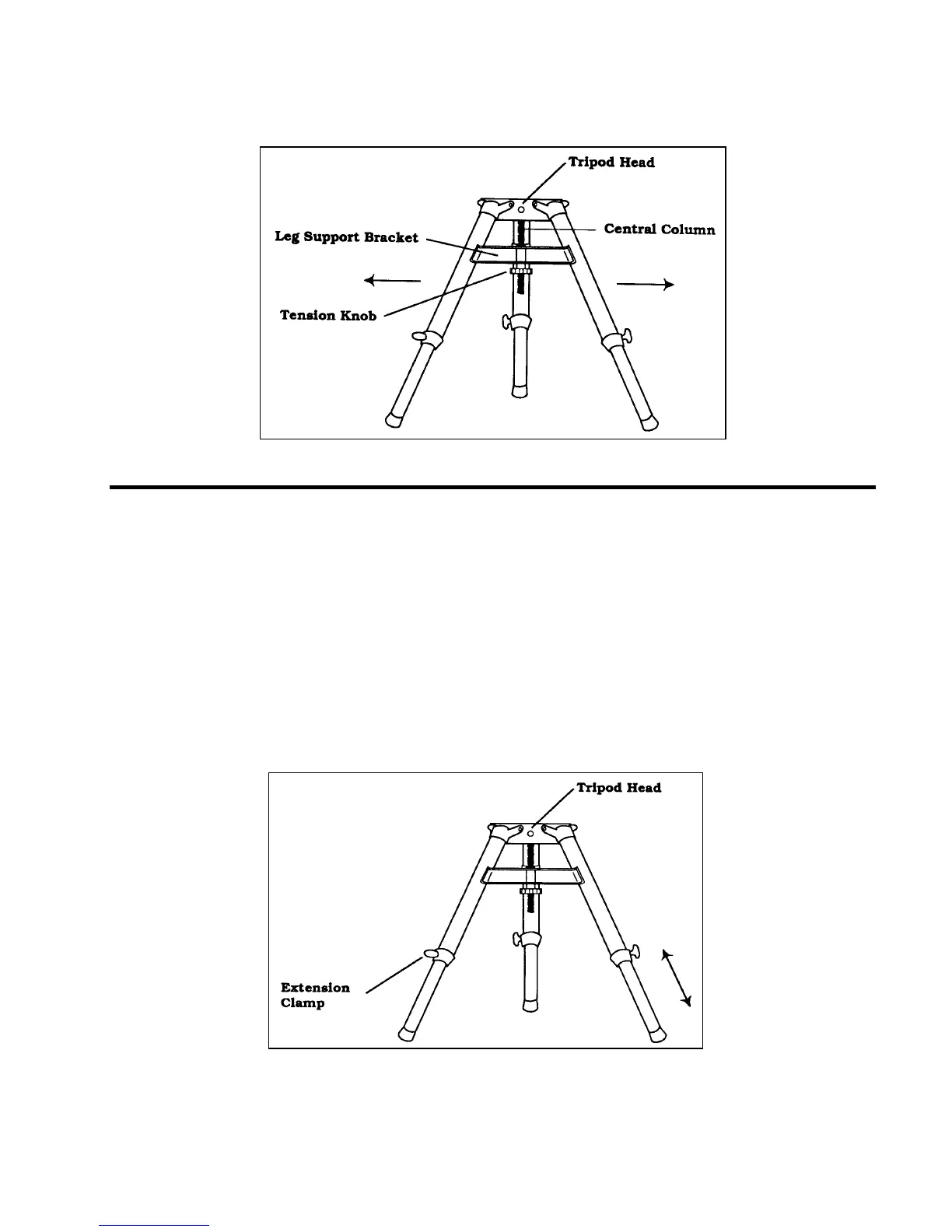
The tripod will now stand by itself. Once the wedge and/or telescope are attached to the tripod, readjust the tension knob
to ensure that the leg support bracket is snug. Once again, do not over tighten!
Figure 3-1 The field tripod completely set up.
Adjusting the Tripod Height
The tripod that comes with your Ultima 2000 telescope is adjustable. To adjust the height at which the tripod stands:
1. Loosen the extension clamp on one of the tripod legs (see figure 3-2).
2. Extend the leg to the desired height.
3. Tighten the extension clamp to hold the leg in place.
4. Repeat this process for each of the remaining legs.
You can do this while the tripod legs are still folded together.
Remember that the higher the tripod legs are extended, the less stable it is. For casual observing, this may not pose a
problem. However, if you plan on doing photography, the tripod should be set low to ensure stability. A recommended
height is to set the tripod in such a manner that you can look directly into the eyepiece on the telescope with a diagonal
while seated.
Figure 3-2
To adjust the height, loosen the extension clamps and slide the tripod legs to the desired height.
Do not loosen the leg clamps with the telescope on the tripod.











 To Next Page