48
Image Orientation
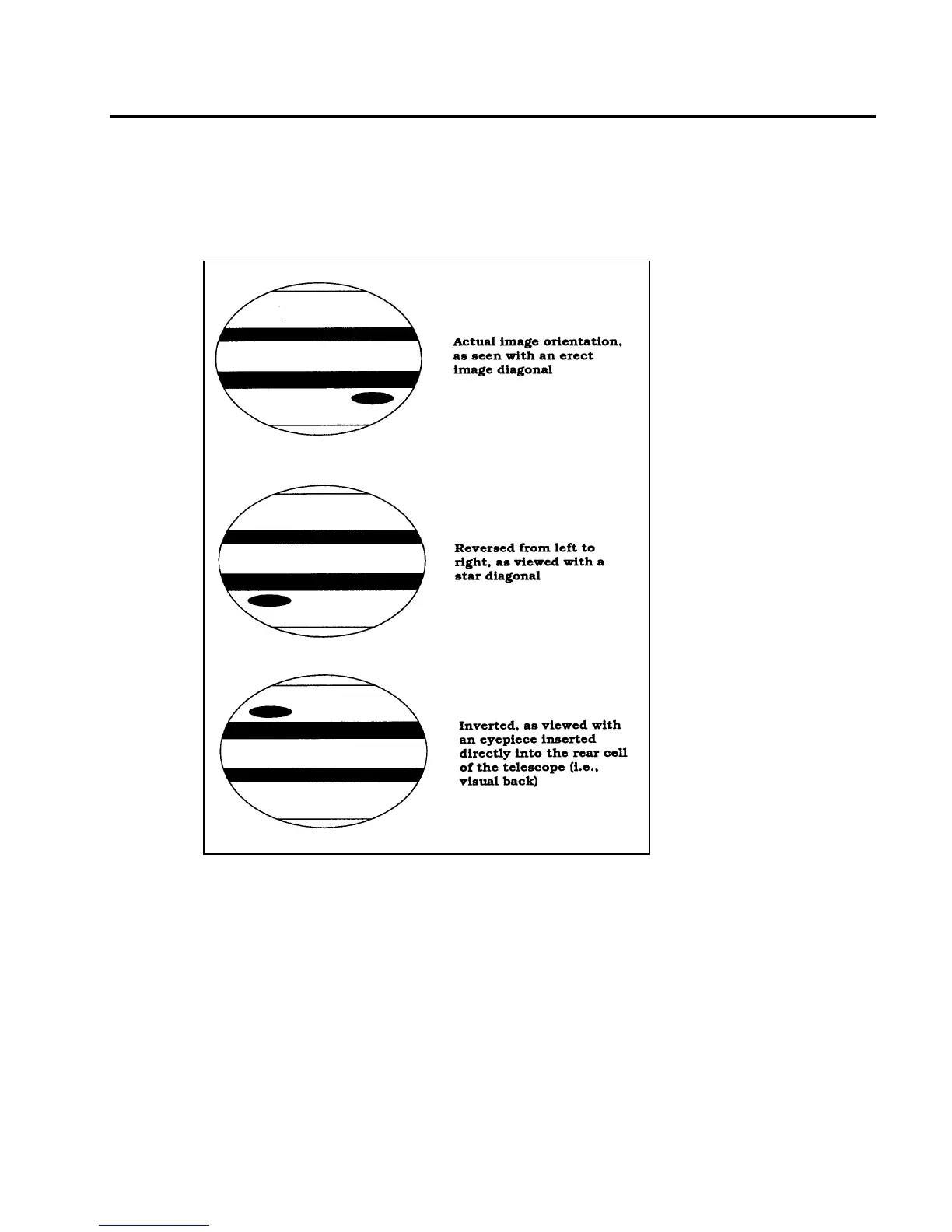
It should be noted that the image orientation will change depending on the viewing configuration. When using the star
diagonal, the image is right-side-up, but reversed from left-to-right. If inserting the eyepiece into the visual back (i.e.,
without the star diagonal), the image is inverted (upside down and reversed from left-to-right). This holds true for the
7x50 finder as well as the telescope. For correct orientation through the telescope, which is important primarily for
terrestrial observing, use the optional 45° erect image diagonal 1-1/4” (#94112-A) or the 90º model (#94108)
Figure 5-2
These simplified drawings of the planet Jupiter illustrate the different image
orientations obtained when using various viewing configurations.











 To Next Page